
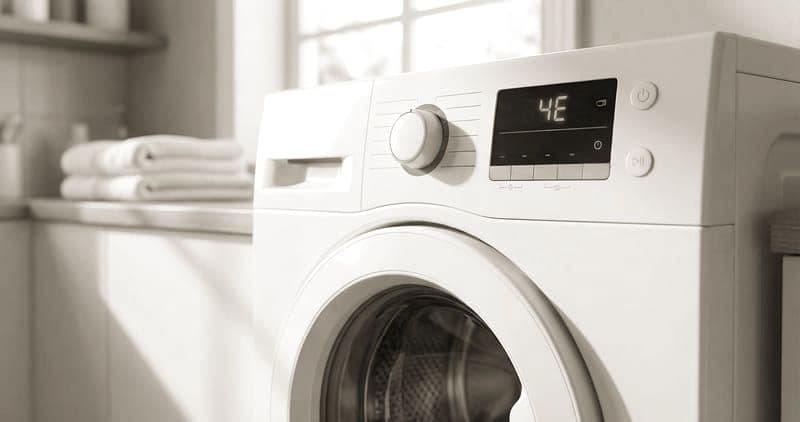
What is the Samsung Washer bE error?#
bE on a Samsung washer is a stuck-button error: the control panel is registering a key as continuously pressed, so the machine either ignores your presses or fires the wrong function. Most of the time an actual button is physically stuck — held down by detergent residue or a bit of debris behind the panel — rather than the whole control failing. It is not a hazard, just an unresponsive panel. The fastest thing to try first is pressing every button firmly and individually to free whichever one is stuck, and wiping the panel clean. Helpfully, the numeric sub-codes that sometimes accompany bE tell you exactly which button zone is the problem.
bE on a Samsung Washer: likely causes and repair cost#
On a Samsung Washer, the bE code signals: button stuck error.
| Likely cause | Typical likelihood |
|---|---|
| Stuck button | Most common |
| Control panel issue | Common |
Typical professional repair: $125–$300 · Difficulty: moderate · often owner-fixable
Fastest thing to try first: Press each button to release any stuck ones.
Symptoms that often accompany bE: Washer does not respond to button presses; One function activates when pressing a different button; Display shows error immediately at power-on
Technician diagnostic sequence for bE:
- Press every button on the control panel firmly and individually. A button may be physically stuck due to detergent residue or a foreign object behind the panel
- Clean the control panel surface with a damp (not wet) cloth. Samsung touchpad membranes can stick when sugar-based products or heavy detergent residue coats the surface
- Unplug the washer for 10 minutes to fully reset the control board — capacitive touch panels can generate phantom presses from electrical noise
- If the error persists, the membrane keypad or the control board behind it may need replacement. Remove the control panel top cover (screws at rear) to inspect for moisture damage or a swollen membrane
Parts a technician may check or replace: model-specific, Samsung DC97-series; Samsung DC92-01531A
Field note: The numeric sub-codes tell you exactly which button zone is stuck: 12E = Power, 14E = Temp, 18E = Option. Knowing the zone helps determine if the issue is one stuck button (spot clean) or the entire touchpad membrane (replace).
Do You Have the Right Tools?
Bearing puller set ($120), drum spider wrench ($85), multimeter ($85), and diagnostic software. Our technician arrives with $3,000+ in professional tools — your diagnostic is free.
Licensed & Insured · 90-Day Warranty · Same-Day Service
How to troubleshoot the bE error yourself#
bE is often an owner fix because the cause is usually a physically stuck key. Start by pressing every button on the control panel firmly and one at a time — a button held down by dried detergent or a foreign object behind the panel will often pop free. Then clean the panel surface with a damp, not wet, cloth, because sugary spills or heavy detergent residue make the touch membrane sticky and generate phantom presses. If that does not clear it, unplug the washer for ten minutes to fully reset the control board, since capacitive touch panels can throw false presses from electrical noise. If your code came with a numeric sub-code, use it: each one maps to a specific button zone — power, temperature, or option — so it tells you whether you are chasing one stuck button to spot-clean or a whole failing membrane. Where you stop is replacing the membrane keypad or the control board behind it: removing the panel top cover and swapping those parts is a technician's job. If cleaning and a reset do not clear bE, book the repair.
Is the Samsung Washer bE error worth fixing?#
bE is usually worth fixing and often costs nothing. Pressing and cleaning the buttons resolves many cases for free, and when the membrane keypad or control board genuinely needs replacing the professional repair runs $125 to $300 — a fraction of a new washer and well under half its price. On any machine that otherwise washes normally, restoring a working panel for that amount is a clear yes. I would only weigh replacement on a very old unit already needing other repairs, where a control-panel cost joins the pile. Because the first fix is free and the paid part is moderate, bE rarely justifies replacing a sound washer.
Safety First — Know the Risks
High-voltage components and pressurized water lines create flood and shock risk. A single loose fitting can cause thousands in water damage. Our techs are licensed and insured — let them handle the risk.
Licensed & Insured · 90-Day Warranty · Same-Day Service
Samsung Washer bE: frequently asked questions#
What does the bE error mean on a Samsung Washer?#
bE means the control panel is reading a button as stuck down, so the washer ignores presses or triggers the wrong function. Usually a key is physically stuck from residue rather than the whole panel failing.
Is it safe to keep using a Samsung Washer that shows the bE error?#
It is safe — bE just makes the panel unresponsive, with no hazard. You simply cannot run a normal cycle until the stuck button is freed or the panel is repaired.
Can I clear the bE error myself, or do I need a technician?#
You can press each button firmly, clean the panel, and reset the washer yourself, which clears many bE codes. Replacing the membrane keypad or control board is a technician job.
How much does it cost to repair the bE error on a Samsung Washer?#
Freeing and cleaning the buttons can cost nothing. If the keypad membrane or control board needs replacing, a professional repair runs $125 to $300.
Which parts usually fail when a washer throws the bE code?#
A single stuck button is the usual cause, freed by pressing and cleaning. When that fails, the touch-membrane keypad or the control board behind it is the part replaced.
Why does stuck button trigger the bE error?#
The board scans the panel for pressed keys. When residue or debris holds a button down — or the membrane faults — the board keeps seeing that key as pressed, so it raises bE and stops responding normally.
Lead Appliance Repair Technician · 12 years experience
Experienced technician with 12 years specializing in washing machine and dryer repairs across all major brands.


