What is the LG Dryer CL error?#
CL on an LG dryer is not a fault at all — it means Child Lock is switched on, which freezes the control panel so buttons do nothing and no cycle will start. It is completely safe and, more importantly, free to fix. The first thing I check is the panel itself, because CL is almost always switched on by accident, and the fix is simply turning it back off.
CL on a LG Dryer: likely causes and repair cost#
On a LG Dryer, the CL code signals: child lock active.
| Likely cause | Typical likelihood |
|---|---|
| Child lock switched on, often by accident | Most common |
| A button combo held long enough to arm the lock | Common |
| A moisture short in the lock-key area falsely arming it | Less common |
Typical professional repair: up to $90 · Difficulty: easy · often owner-fixable
Fastest thing to try first: Press and hold Child Lock button.
Symptoms that often accompany CL: All buttons unresponsive; CL icon displayed on panel; Cannot start any cycle
Technician diagnostic sequence for CL:
- Press and hold the Child Lock button for 3-5 seconds until the CL indicator on the display turns off
- On models without a dedicated Child Lock button, press and hold the Dry Level and Time buttons simultaneously for 3 seconds
- If the lock will not deactivate, unplug the dryer for 1 minute and plug back in — some models reset the lock state on power cycle
- Check the LG owner manual for your specific model as the child lock button combination varies across model years
Field note: CL is not a malfunction — it is a feature confirmation. However, if CL appears without being activated and will not clear, the control panel membrane switch may have a short in the child lock button area from moisture infiltration.
Do You Have the Right Tools?
Gas leak detector ($130), thermal fuse tester ($95), belt tension gauge, and vent inspection camera ($180). Our technician arrives with $3,000+ in professional tools — your diagnostic is free.
Licensed & Insured · 90-Day Warranty · Same-Day Service
How to troubleshoot the CL error yourself#
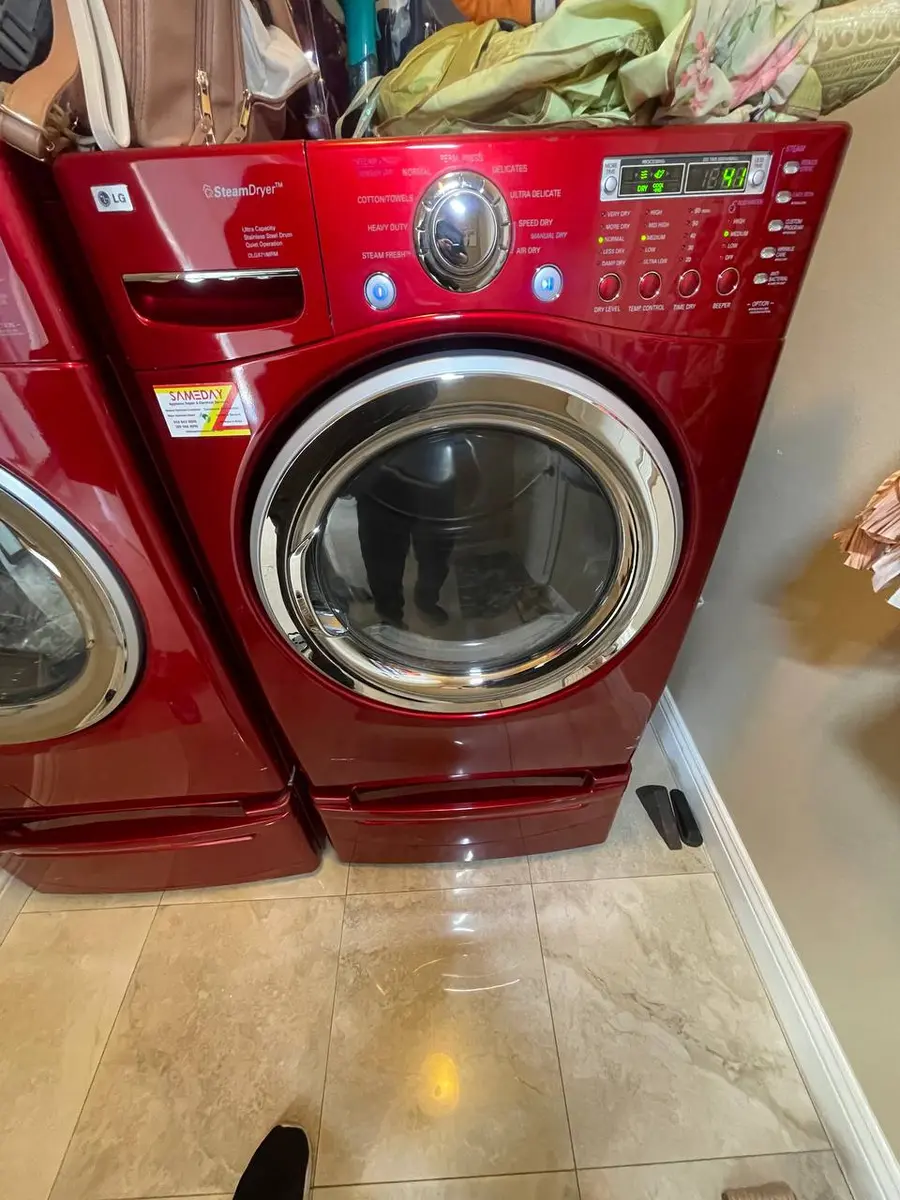
This is the easiest LG code there is, and you never need a technician for it. Look on the control panel for a button labeled Child Lock, or a key with a small lock or padlock icon — often shared with another button. Press and hold that button for about three seconds; you will hear a beep and the CL will disappear, restoring the panel. If the icon is not obvious, the owner's manual lists which button holds the lock for your exact model, since LG moves it between panels. There are no parts to buy and nothing to take apart — if holding the labeled key clears CL, you are done.
Is the LG Dryer CL error worth fixing?#
There is essentially nothing to fix here, so worth-fixing is really about whether you ever need to pay anyone. In the normal case CL costs nothing — you hold a button and it clears — which is why the range starts at $0. The only way it reaches the $90 top of the range is the rare case where a stuck or failed lock button will not release and a technician has to replace the membrane or keypad. On any working dryer that is a minor repair, and CL by itself is never a reason to consider replacing the machine.
Safety First — Know the Risks
Gas dryers carry carbon monoxide and explosion risk. Even electric dryers involve 240V circuits that can deliver a fatal shock. Our techs are licensed and insured — let them handle the risk.
Licensed & Insured · 90-Day Warranty · Same-Day Service
LG Dryer CL: frequently asked questions#
What does the CL error mean on a LG Dryer?#
CL means Child Lock is active — a safety feature that disables the control panel so children cannot change or start a cycle. It is a setting, not a malfunction.
Is it safe to keep using a LG Dryer that shows the CL error?#
Yes, completely safe. CL only locks the buttons; nothing about the dryer is at risk while it is displayed.
Can I clear the CL error myself, or do I need a technician?#
You can absolutely clear CL yourself — hold the Child Lock button for a few seconds. No technician is needed unless the button itself has failed.
How much does it cost to repair the CL error on a LG Dryer?#
Clearing CL normally costs nothing. Only a stuck or broken lock button, which is rare, would need a keypad repair costing up to $90.
Which parts usually fail when a dryer throws the CL code?#
Usually no part fails — CL is a deliberate setting. If the lock button sticks and cannot release, the keypad or membrane is the part a tech would replace.
Is a LG Dryer with the CL error worth repairing?#
There is nothing to repair in the normal case, so it is not a replace-or-fix question — you just turn Child Lock off. Only a failed keypad on an old dryer would ever factor in.
Why does child lock switched on, often by accident trigger the CL error?#
CL appears because someone held the Child Lock button, often unintentionally while cleaning the panel. Holding that same button again switches it back off.
Appliance Repair Technician & Diagnostics Specialist · 10 years experience
Electronics and diagnostics specialist with 10 years of experience in modern smart appliance repair, specializing in LG and Samsung.