Maytag Refrigerator Display Not Working — Control Panel Diagnosis
Maytag MFI French door and MSS side-by-side refrigerators feature electronic control panels with LCD or LED displays that show temperature settings, filter status, and diagnostic information. When this display goes blank, freezes, or becomes unresponsive to button presses, it can be alarming — but it does not necessarily mean the refrigerator has stopped cooling. In many cases, the compressor and fans continue operating normally while only the user interface has failed.
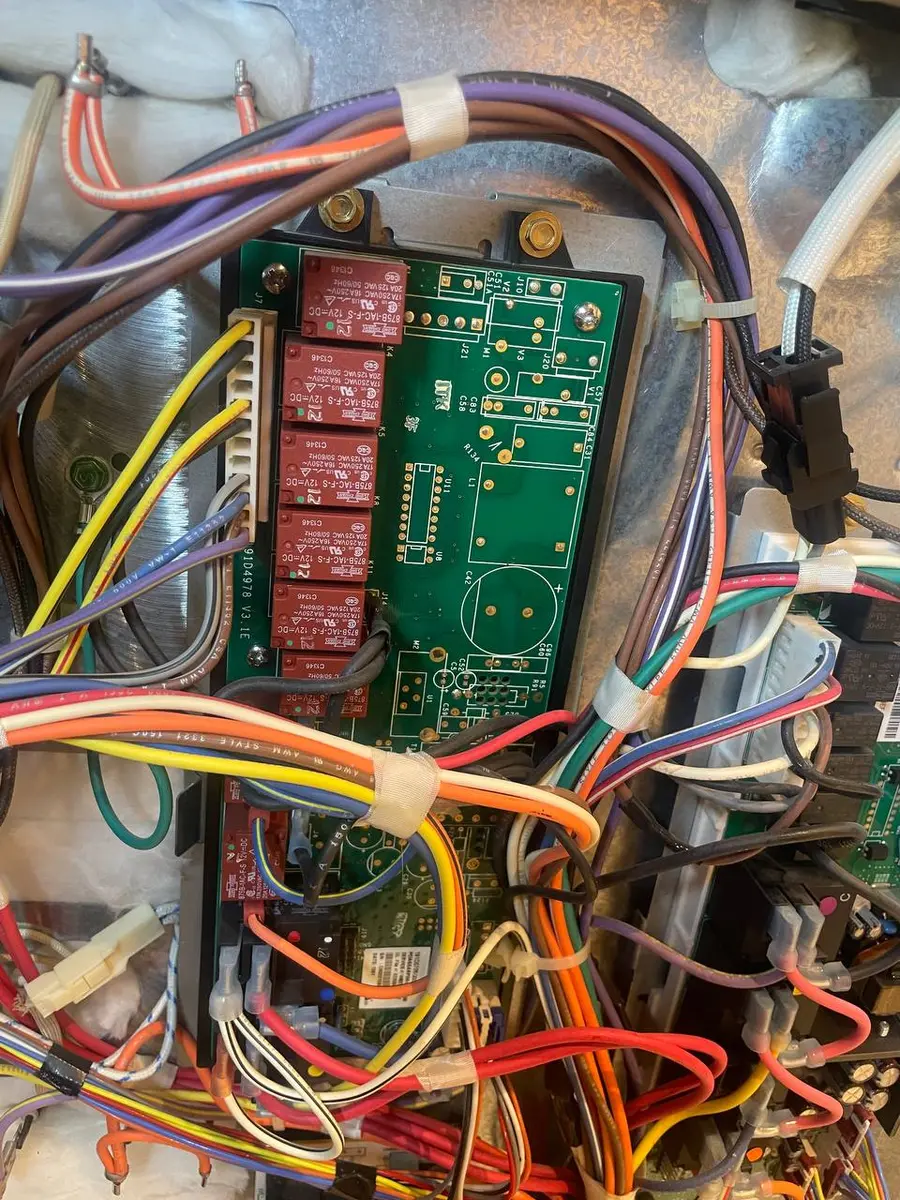
Maytag uses a two-board architecture on display-equipped models: the main control board (located behind the unit or inside the control housing) manages all cooling functions, while a separate user interface (UI) board behind the display handles button inputs and visual feedback. These communicate via a ribbon cable. Display failures typically originate at the UI board, ribbon cable connection, or the power supply to the UI board from the main board.
Confirming the Refrigerator Is Still Cooling
Before investigating the display:
- Listen for the compressor and fans — if you hear normal operation sounds, the main board is still functioning and the refrigerator is likely cooling normally
- Place a thermometer in the fresh-food section — if temperature is at 35-38 degrees F, cooling is fine and only the display needs attention
- Check interior BrightSeries LED lights — if they illuminate when doors are opened, power is reaching the unit and the main board has at least partial function
Do You Have the Right Tools?
Refrigerant gauges ($200+), vacuum pump ($250), leak detector ($150), and EPA-certified recovery equipment. Our technician arrives with $15K+ in professional tools — your diagnostic is free.
Licensed & Insured · 90-Day Warranty · Same-Day Service
Safety Precautions
- Disconnect power before accessing any control boards — capacitors on the main board retain charge briefly after unplugging
- Do not pry the display panel — the UI board is mounted behind a snap-fit bezel that releases with specific tab locations, not force
- Photograph connector positions before disconnecting any ribbon cables — the connectors are directional and re-inserting incorrectly can damage the board
Most Common Causes (Ranked by Likelihood)
1. Loose or Corroded Ribbon Cable Connection (30% of cases)
The ribbon cable connecting the main board to the UI board can loosen from vibration over time, or develop corrosion at the connector pins from humidity. On MFI models, this cable runs from the main board (behind the unit or in the top control housing) to the display panel mounted in the door or on the dispenser front.
Diagnostic Steps:
- Unplug the refrigerator.
- Access the UI board behind the display panel (varies by model — typically the display bezel snaps off or is held by screws behind the top panel).
- Locate the ribbon cable connection at both ends (UI board side and main board side).
- Disconnect and re-seat both ends firmly. Check connector pins for green corrosion or bent contacts.
- Reconnect power and test.
Parts Cost: $0 (re-seating only) / $15-30 (replacement ribbon cable if damaged) Professional Repair Cost: $90-180 DIY Difficulty: Moderate — accessing the connectors requires some panel removal
2. User Interface (UI) Board Failure (25% of cases)
The UI board contains the display driver, LED/LCD module, and button input circuits. Component failure on this board (typically a failed voltage regulator or blown capacitor) kills the display while the main board continues operating normally. This is the most common paid-parts repair for display issues.
On some Maytag MFI models, the UI board includes the dispenser control functions as well. A failed UI board on these models disables both the display and the dispenser buttons, though the ice maker continues operating automatically.
Diagnostic Steps:
- If re-seating the ribbon cable did not resolve the issue, the UI board is the likely cause.
- Inspect the UI board visually for obvious damage — bulging capacitors, burn marks, or cracked solder joints.
- Check whether any buttons on the panel produce any response (beep, click, partial display change). Complete unresponsiveness suggests total board failure; partial response suggests a display driver issue.
- Order a replacement UI board specific to your model.
Parts Cost: $60-180 (UI board) Professional Repair Cost: $150-320 DIY Difficulty: Moderate — board replacement is plug-and-play after accessing the mounting location
3. Power Supply Issue to the UI Board (20% of cases)
The main board provides low-voltage DC power to the UI board through the ribbon cable or a separate power harness. If the power output from the main board has failed (while other board functions remain operational), the display receives no power and goes dark. The cooling system continues working because the compressor, fan, and defrost circuits are independent of the UI power supply.
Diagnostic Steps:
- With power connected and the unit operating (listen for compressor), measure DC voltage at the UI board power input. Expect 3.3V or 5V DC depending on model.
- No voltage at the UI board input while the main board is clearly running = main board power output failure.
- Check for an inline fuse between the main board and UI board — some Maytag models have a small glass or PCB-trace fuse that protects the UI circuit.
Parts Cost: $5-15 (fuse if applicable) / $80-280 (main board if UI power circuit failed) Professional Repair Cost: $100-420 DIY Difficulty: Moderate (fuse) / Advanced (main board)
4. Power Surge Damage (15% of cases)
A power surge (from lightning, grid fluctuation, or appliance cycling on the same circuit) can damage the sensitive display electronics while leaving the more robust compressor control circuits operational. Sacramento experiences electrical grid stress during summer heat waves when air conditioning loads peak — this is when we see the most surge-related display failures.
Diagnostic Steps:
- Did the display failure coincide with a storm, power outage, or flickering lights? This points to surge damage.
- Inspect both boards for blown components (usually visible as blackened or cracked surface-mount parts).
- If surge damage is confirmed, consider installing a surge protector on the refrigerator circuit to prevent recurrence.
Parts Cost: $60-280 (whichever board was damaged) Professional Repair Cost: $150-420 DIY Difficulty: Moderate to Advanced
5. Complete Power Loss to Unit (10% of cases)
If the display is blank AND the refrigerator is not cooling (no sounds, no lights, no fans), the issue is total power loss rather than a display-specific failure. Check the outlet, GFCI, circuit breaker, and power cord. See the "will not start" guide for complete power-loss diagnosis.
Parts Cost: $0-40 Professional Repair Cost: $80-120 DIY Difficulty: Easy
Safety First — Know the Risks
Refrigerant (R-134a/R-600a) requires EPA certification to handle. Improper discharge is a federal violation and health hazard. Our techs are licensed and insured — let them handle the risk.
Licensed & Insured · 90-Day Warranty · Same-Day Service
Cost Comparison Table
| Cause | Parts | Professional Repair | DIY? |
|---|---|---|---|
| Loose Ribbon Cable | $0-30 | $90-180 | Moderate |
| UI Board | $60-180 | $150-320 | Moderate |
| Main Board Power | $5-280 | $100-420 | Moderate-Advanced |
| Surge Damage | $60-280 | $150-420 | Moderate-Advanced |
| Total Power Loss | $0-40 | $80-120 | Easy |
Same-Day Appliance Repair
Fixed or It's Free
$89 → $0 Service Call & Diagnosis — offer ends May 25
Can I Operate My Maytag Without a Working Display?
Yes — if the compressor and fans are running and the interior temperature is correct, the refrigerator is cooling normally. The display failure affects your ability to change temperature settings and see filter status, but the main board retains its last settings in memory and continues operating. However, you lose the ability to enter diagnostic mode, see error codes, or adjust temperatures until the display is repaired.
The Real Cost of DIY
Average DIY attempt: $150-400 in tools you may use once, plus the risk of further damage. Our diagnostic visit costs $0 — we find the problem and give you an honest quote.
Licensed & Insured · 90-Day Warranty · Same-Day Service
Prevention
- Install a surge protector on the refrigerator circuit — a plug-in unit with joule rating above 2,000 protects sensitive electronics
- Do not slam the freezer door — impact vibration travels through the cabinet and loosens ribbon cable connections over time
- Avoid cleaning the display panel with excessive water — moisture can seep into the bezel and corrode ribbon cable contacts
Frequently Asked Questions
Will a blank display affect my food safety?
Not if the refrigerator is still cooling (listen for compressor, check with a thermometer). The display is an input/output interface — it does not control cooling directly. However, without the display you cannot verify settings or see error codes, so schedule repair to restore full monitoring capability.
Is the display covered under Maytag warranty?
The UI board and display are covered under the 1-year full parts and labor warranty. They are not part of the 10-year sealed system warranty. If your display failed within the first year, Maytag covers the repair entirely.
Can a power surge damage just the display and nothing else?
Yes — the display electronics operate at lower voltages (3.3-5V) and are more sensitive to surges than the main board's compressor control circuits (which switch 120V and are designed with greater electrical tolerance). It is common to see display damage from a surge while cooling functions remain intact.
Maytag refrigerator display blank or frozen? Our technicians diagnose UI board, ribbon cable, and main board issues on the first visit and carry replacement boards for common Maytag models. Schedule display repair →