
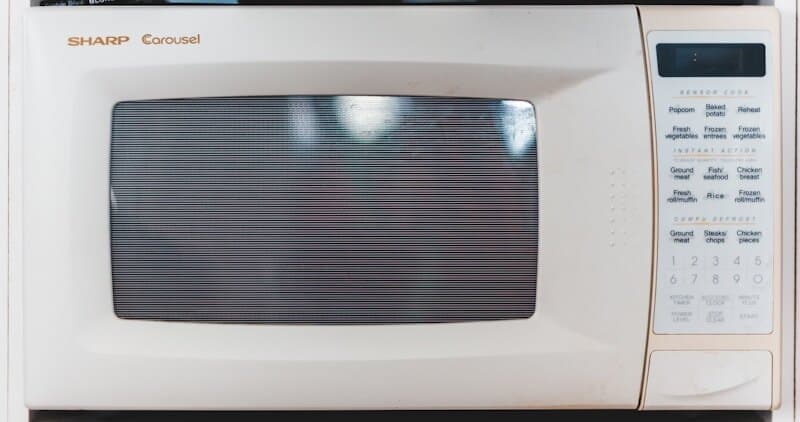
Frigidaire microwaves — including over-the-range (FGMV, FFMV series), countertop (FFCE, FFCM series), and built-in Gallery models — use F-series error codes to communicate faults. The error code system is straightforward compared to other Frigidaire appliances, but the safety considerations are significantly higher because microwaves contain a high-voltage capacitor that stores lethal charge even when unplugged. This guide covers every Frigidaire microwave error code, what you can safely diagnose yourself, and when professional repair is mandatory.
Critical Safety Warning#
Microwaves contain a high-voltage capacitor that can hold a lethal electrical charge (up to 4,000 volts) even after the unit is unplugged. Do not remove the outer cabinet or attempt to access internal components unless you have specific training in microwave repair and the proper discharge tools. The troubleshooting steps in this guide focus on safe, external diagnostic methods — checking the door, control panel, power supply, and ventilation. Internal component repair (magnetron, capacitor, diode, transformer) must be performed by a qualified technician.
Do You Have the Right Tools?
High-voltage capacitor discharge tool ($90), magnetron tester ($200), microwave leakage detector ($150). Our technician arrives with $3,000+ in professional tools — your diagnostic is free.
Licensed & Insured · 90-Day Warranty · Same-Day Service
How Frigidaire Microwave Error Codes Work#
Frigidaire microwaves display error codes as F followed by a number (F1 through F9) on the digital display. The control board monitors the magnetron temperature, humidity sensor, door switches, and internal circuits. When a fault is detected, the microwave stops operation and displays the code with an audible beep.
Basic reset procedure:
- Press Cancel/Off to clear the alarm.
- If the code persists, unplug the microwave (or turn off the circuit breaker for built-in/OTR models) for 60 seconds.
- Restore power and attempt a simple 30-second cook test.
If the code returns after reset, proceed to the specific code troubleshooting below.
F1 — Thermal Sensor / High Temperature Error#
The microwave's internal thermal sensor detects that the magnetron or cavity temperature has exceeded the safe operating limit. The unit shuts down to prevent damage.
Common causes:
- Ventilation blocked — the most common cause, especially on over-the-range models where the exhaust fan vents through ductwork or a charcoal filter
- Extended high-power cooking session (running at full power for 20+ minutes continuously)
- Charcoal filter saturated and restricting airflow (over-the-range models with recirculating ventilation)
- Magnetron cooling fan failure
- Thermal sensor malfunction
How to fix (safe external checks):
- Wait 15 minutes for the unit to cool down, then try again. If F1 appeared during a long or heavy cooking session, this may be a normal thermal protection event.
- Check ventilation: On over-the-range models, verify the exhaust duct is not blocked. If the microwave recirculates through charcoal filters, check the filter condition — Frigidaire recommends replacing charcoal filters every 6 months with regular use. A saturated filter restricts cooling airflow.
- Clean the grease filters: Remove the aluminum mesh grease filters from the bottom of the over-the-range unit and wash in hot soapy water or run through the dishwasher. Grease-clogged filters restrict the airflow needed to cool the magnetron.
- Verify clearance: Built-in and over-the-range installations require specific clearances for ventilation. If the microwave was recently installed or the cabinetry was modified, verify the installation meets Frigidaire's clearance specifications.
- If F1 appears within the first minute of cooking (unit is not actually hot), the thermal sensor itself may have failed — this requires professional diagnosis.
Parts: Charcoal filter 5304440335 (varies by model and region). Grease filter 5304509444 (varies by model and region). Thermal sensor (requires professional installation) (varies by model and region).
Safety First — Know the Risks
Microwave capacitors store lethal voltage (4,000V+) even when unplugged. This is the single most dangerous DIY appliance repair. Our techs are licensed and insured — let them handle the risk.
Licensed & Insured · 90-Day Warranty · Same-Day Service
F2 — Humidity Sensor Error#
The humidity sensor (used in Auto Cook and Sensor Reheat modes) is not providing a valid reading to the control board. The sensor is a small device inside the cavity that detects moisture levels to automatically determine cooking time.
Common causes:
- Sensor surface dirty or coated with food residue
- Excessive steam or moisture in the cavity (cooking immediately after a steam-heavy session)
- Sensor element failure
- Wiring issue between the sensor and the control board
How to fix:
- Clean the cavity thoroughly. The humidity sensor is usually mounted on the ceiling or upper wall of the microwave interior. Wipe the entire interior with a damp cloth and mild detergent to remove food splatter and grease film that can coat the sensor.
- Dry the cavity: Leave the microwave door open for 10 minutes to air out residual moisture.
- Test without sensor modes: If F2 only appears when using Auto Cook or Sensor Reheat, try using Timed Cook (manual time/power) instead. If manual modes work fine, the sensor needs replacement — but you can continue using the microwave in manual mode indefinitely.
- Power cycle: Unplug for 60 seconds and retry a sensor mode. Transient moisture events can cause false F2 readings.
Parts: Humidity sensor (model-specific) (varies by model and region professional installation recommended due to internal access requirement).
Practical note: If F2 only affects auto-sensor modes, you can continue using the microwave with manual time/power settings without any safety concern. The humidity sensor does not affect basic microwave operation.
F3 — Touch Panel / Keypad Shorted#
One or more touchpad keys are detected as continuously pressed or shorted. The control board beeps and may not respond to button presses.
Common causes:
- Moisture behind the touchpad membrane (steam from cooking rises and penetrates the control panel)
- Membrane switch overlay delaminated or cracked
- Spill damage on the control panel
- Control board input circuit failure
How to fix:
- Press Cancel to silence the alarm. If the beeping continues, unplug the unit.
- Clean and dry the control panel: Wipe the touchpad with a dry cloth. Avoid spraying cleaning liquids directly on the control panel — use a damp cloth applied to the surface, not a spray bottle.
- Wait for moisture to clear: Unplug for 30 minutes to allow any trapped moisture behind the membrane to evaporate. Over-the-range microwaves are particularly susceptible because cooking steam rises directly toward the control panel.
- Inspect the touchpad overlay: Look for visible bubbles, cracks, or peeling at the edges. If the membrane is compromised, it allows moisture in and must be replaced.
Parts: Touchpad overlay/membrane switch (model-specific) 5304491625 (varies by model and region).
Prevention tip: Always use the exhaust fan when cooking on the stovetop below an over-the-range microwave. Steam and grease from stovetop cooking are the #1 cause of touchpad failures on OTR microwaves.
The Real Cost of DIY
Average DIY attempt: $150-400 in tools you may use once, plus the risk of further damage. Our diagnostic visit costs $0 — we find the problem and give you an honest quote.
Licensed & Insured · 90-Day Warranty · Same-Day Service
F5 — Door Switch Error#
The microwave detects a door switch inconsistency — the multiple door switches (Frigidaire microwaves use 2–3 switches for safety) are not in agreement about whether the door is open or closed.
Common causes:
- Door not closing fully (check for food debris or warped hinges)
- Door latch mechanism worn or broken
- One of the door interlock switches has failed
- Door hinge sagging (common on over-the-range models after years of use)
How to fix:
- Open and close the door firmly — verify it latches securely with a positive click.
- Inspect the door for physical damage: Check the door hinges for looseness or bending. On over-the-range models, the door takes more force to close due to the mounting angle. Check the latch hooks (the small metal or plastic prongs that engage the switches in the frame) for wear or breakage.
- Clean the latch area: Food residue in the latch receptacles can prevent proper switch engagement.
- Check door alignment: Close the door and look at the gap between the door and the frame on all sides. An uneven gap indicates hinge wear or sagging.
Parts: Door latch assembly 5304509457 (varies by model and region). Door hinge (model-specific) (varies by model and region). Door switch replacement requires professional service.
Safety note: Microwave door switches are a critical safety component. They prevent the magnetron from operating with the door open. Do not bypass, tape, or modify the door switches under any circumstances. If the door does not close securely, do not use the microwave.
F7 — Communication / Control Board Error#
The control board has detected an internal communication failure between its processor and memory or between the control board and the power relay board.
Common causes:
- Control board failure (processor or EEPROM fault)
- Power surge damage
- Power relay board failure (on models with separate relay boards)
- Wiring issue between boards
How to fix:
- Power cycle: Unplug for 60 seconds and restore power. About 30% of F7 occurrences are transient glitches caused by power fluctuations.
- Check for power quality issues: If the microwave is on a circuit with other high-draw appliances (refrigerator, dishwasher), voltage fluctuations during startup of those appliances can cause F7. Consider a dedicated circuit.
- If F7 persists after reset, the control board has likely failed and needs replacement. This is a professional repair due to internal high-voltage components.
Parts: Control board (model-specific) (varies by model and region professional installation required).
Don't Void Your Warranty
Opening your appliance yourself may void the manufacturer warranty. Our repair comes with a 90-day guarantee, and we document everything for warranty compliance.
Licensed & Insured · 90-Day Warranty · Same-Day Service
F9 — Over-the-Range Ventilation Fan Error#
On Frigidaire over-the-range microwaves, F9 indicates the exhaust fan motor is not running or not reaching the expected speed. The microwave may continue to cook but will not ventilate.
Common causes:
- Exhaust fan motor failure
- Fan blade obstructed by grease accumulation
- Fan motor wiring issue
- Fan speed sensor fault (on models with multi-speed fans)
How to fix:
- Clean the grease filters — heavy grease accumulation can put extra load on the fan motor.
- Turn on the fan manually using the fan speed buttons. Listen for the fan — if you hear nothing or a straining hum, the motor may have failed.
- Check from below: With the fan running (if it runs at all), feel for airflow at the grease filter area. Weak or no airflow with the fan audibly running suggests the fan blade is slipping on the motor shaft.
- Fan motor replacement requires removing the outer cabinet — this is a professional repair due to high-voltage component proximity.
Parts: Exhaust fan motor 5304488360 (varies by model and region professional installation required).
Additional Quick Reference#
- PF — Power failure. The microwave lost power during operation. Press Cancel and restart. Clock will need to be reset.
- Door / OPEN — Not an error code but a status indicator. The door is detected as open. Close fully and retry. If it persists with the door closed, a door switch has failed (see F5).
Is It Worth Your Time?
Microwave repair requires specialized testing of the magnetron, capacitor, diode, and transformer — each requiring specific safety procedures. Our technician diagnoses the issue in about 30 minutes — same-day appointments available.
Licensed & Insured · 90-Day Warranty · Same-Day Service
Frigidaire Microwave Diagnostic Mode#
Frigidaire microwaves have a limited self-test mode:
- Enter test mode (OTR models): Unplug the microwave for 30 seconds, then plug back in. Within 3 seconds of power restoration, press and hold Start for 5 seconds. The display shows a test pattern.
- Display/keypad test: Each button press should register the corresponding segment on the display. Non-responding or stuck buttons confirm F3/keypad issues.
- Fan and light test: The test sequence may cycle through fan speeds and the cavity light. Verify each activates.
- Exit: Press Cancel or unplug.
Note: Microwave diagnostic mode does not test the magnetron, transformer, or high-voltage circuit. Those require professional test equipment.
Frequently Asked Questions#
Q: How do I reset my Frigidaire microwave after an error code? A: Press Cancel/Off. If the code persists, unplug for 60 seconds (or turn off the breaker for OTR/built-in models), restore power, and test with a 30-second cook. If the code returns, the fault needs repair.
Q: Why does my Frigidaire over-the-range microwave show F1 during long cooking sessions? A: The magnetron generates significant heat during extended operation. If the ventilation is restricted (saturated charcoal filter, grease-clogged mesh filter, blocked ductwork), heat cannot dissipate and the thermal sensor triggers F1. Replace charcoal filters every 6 months, clean grease filters monthly, and verify the exhaust duct is clear.
Q: Can I still use my Frigidaire microwave if it shows F2? A: Yes — F2 only affects the humidity sensor used for Auto Cook and Sensor Reheat modes. You can continue using the microwave with manual time and power settings without any safety concern. The sensor does not affect basic heating operation.
Q: Is it safe to repair a Frigidaire microwave myself? A: External checks (door, control panel, ventilation, filters) are safe. Do NOT remove the outer cabinet or access internal components. The high-voltage capacitor can hold a lethal charge even when unplugged. All internal repairs — magnetron, capacitor, diode, transformer, and door switches — must be performed by a qualified technician with proper discharge tools.
Q: Why does my Frigidaire microwave touchpad stop working after stovetop cooking? A: Steam and grease from stovetop cooking rise directly into the over-the-range microwave's control panel area. Over time, moisture penetrates the membrane switch overlay and causes erratic button behavior or F3 errors. Always run the exhaust fan when using the stovetop. If the overlay is already damaged, it needs replacement.
The Risk of Getting It Wrong
A wrong diagnosis often turns a simple fix into a costly replacement. Without proper diagnostic tools, you might replace the wrong part — or cause additional damage. Our free diagnostic eliminates the guesswork.
Licensed & Insured · 90-Day Warranty · Same-Day Service
When to Call a Professional#
All internal microwave repairs require professional service. This includes:
- Magnetron replacement — The magnetron generates microwave energy and is connected to the high-voltage circuit. Lethal voltage exposure risk.
- Capacitor, diode, or transformer service — Any component in the high-voltage circuit.
- Door switch replacement — While the switches themselves are small, accessing them requires removing the outer cabinet and working near high-voltage components.
- F7 control board replacement — Internal mounting and wiring near the high-voltage circuit.
- F1 with suspected cooling fan failure — The cooling fan is inside the cabinet near the magnetron.
- Any burning smell, sparking, or arcing inside the cavity — Stop using immediately, unplug, and call for service.
Safe DIY repairs:
- Cleaning/replacing charcoal and grease filters
- Replacing the turntable glass plate or roller ring
- Replacing the light bulb (if externally accessible)
- Cleaning the interior cavity and control panel
Dealing with Frigidaire microwave error codes? EasyBear's certified technicians repair Frigidaire microwaves — over-the-range, countertop, and built-in models — across the Bay Area. We carry the most common Frigidaire microwave parts and have the specialized tools needed for safe high-voltage component diagnosis. Our free diagnostic visit identifies the exact cause, and most repairs are completed the same day. Every repair includes a 90-day parts and labor warranty. Schedule your free diagnosis today.
Appliance Repair Technician & Diagnostics Specialist · 10 years experience
Electronics and diagnostics specialist with 10 years of experience in modern smart appliance repair, specializing in LG and Samsung.


