
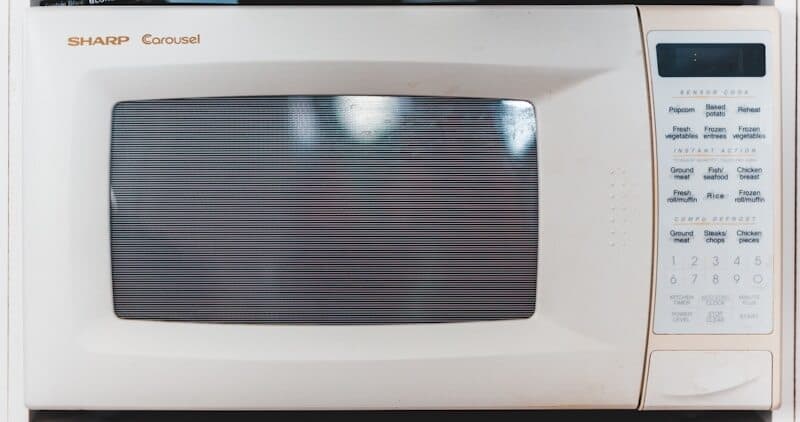
Samsung microwaves — including over-the-range (OTR) models with ventilation, countertop units, and built-in combination microwave-ovens — use sensor technology to monitor cooking temperature, door position, and internal component health. When the control board detects an abnormal condition, it displays an error code and stops operation. This guide covers every Samsung microwave error code with causes, Samsung part numbers, and repair guidance.
How Samsung Microwave Error Codes Work#
Samsung microwaves monitor the door switch circuit (three switches for safety), the magnetron temperature, the humidity/vapor sensor, and the high-voltage transformer circuit. Error codes appear on the LED or LCD display panel. Some codes require a power cycle to clear; others persist until the faulty component is replaced.
Safety Warning: Microwaves contain a high-voltage capacitor that can retain a lethal charge (up to 4,000 volts) even when unplugged. Never remove the outer cabinet of a microwave unless you are a trained technician who knows how to safely discharge the capacitor. The troubleshooting steps below focus on user-safe checks only.
To reset most Samsung microwave error codes:
- Press Stop/Clear twice to dismiss the code.
- If the code returns, unplug the microwave (or turn off the breaker for OTR models) for 3 minutes, then restore power.
- If the code persists after power cycling, the component needs professional repair or replacement.
Do You Have the Right Tools?
High-voltage capacitor discharge tool ($90), magnetron tester ($200), microwave leakage detector ($150). Our technician arrives with $3,000+ in professional tools — your diagnostic is free.
Licensed & Insured · 90-Day Warranty · Same-Day Service
SE — Touch Panel / Stuck Key Error#
The control board detects a continuously pressed button or an electrical fault on the touchpad membrane.
Common causes:
- Moisture or grease on the touchpad surface (the most common trigger, especially on OTR models above a stove)
- Touchpad membrane delamination from heat exposure (OTR models above gas ranges get the most heat)
- Electrical fault in the membrane switch
- Control board touchpad input circuit failure
How to fix:
- Clean the touchpad surface with a dry microfiber cloth. For grease buildup, spray a mild glass cleaner onto the cloth and wipe.
- Unplug the microwave for 3 minutes and try again — moisture-related SE codes often clear after drying.
- If SE recurs, the touchpad membrane is likely failing. On Samsung microwaves, the membrane and the control panel are often a combined assembly.
- Do not attempt to access internal components — this requires professional service due to the high-voltage capacitor.
Part cost: Touchpad/control panel assembly varies by part (model-specific). Professional repair varies by part.
E-11 / E-12 — Humidity Sensor Error#
The steam/humidity sensor inside the cavity is reading abnormally. Samsung uses this sensor for "Sensor Cook" features that automatically adjust time and power based on steam output.
Common causes:
- Sensor contaminated with food splatter or grease film
- Sensor failure (Samsung DE32-20027A or model-specific)
- Wiring connector loose or corroded
- E-11 = sensor open circuit; E-12 = sensor short circuit
How to fix:
- Clean the inside of the microwave thoroughly, including the ceiling area where the sensor is typically mounted. Use a damp cloth with mild dish soap. Food residue on the sensor gives false readings.
- Power cycle by unplugging for 3 minutes.
- If the code persists after cleaning, the sensor is likely failed. Sensor replacement requires professional service due to internal component access.
- As a workaround, you can use manual time/power cooking instead of Sensor Cook features — the microwave will still function for manual operations even with a failed humidity sensor on some models.
Part cost: Humidity sensor (DE32-20027A) varies by part. Professional repair varies by part.
Safety First — Know the Risks
Microwave capacitors store lethal voltage (4,000V+) even when unplugged. This is the single most dangerous DIY appliance repair. Our techs are licensed and insured — let them handle the risk.
Licensed & Insured · 90-Day Warranty · Same-Day Service
E-13 — Oven Temperature Sensor Error (Combo Models)#
On Samsung combination microwave-convection oven models, E-13 indicates the convection oven temperature sensor is reading outside the expected range.
Common causes:
- Temperature sensor failure (similar to RTD sensor in Samsung ovens)
- Sensor wiring damaged from heat exposure during convection cooking
- Sensor connector loose at the control board
How to fix:
- Power cycle by unplugging for 5 minutes.
- If the code returns, the oven temperature sensor needs testing and likely replacement. This requires professional service.
- Note that microwave-only functions may still work even with a failed convection sensor — only convection and combination cooking modes are affected.
Part cost: Convection temperature sensor varies by part. Professional repair varies by part.
SE-1 / SE-2 / SE-3 — Door Switch Circuit Error#
The microwave's door switch interlock circuit has detected an abnormal state. Samsung microwaves have three door switches that must activate in a specific sequence for safety.
Common causes:
- Door latch not engaging fully (food debris in the latch area)
- Door switch failure (Samsung 3405-001032 or model-specific) — switches wear out from repeated use
- Door hinge bent, preventing proper latch engagement
- Wiring harness issue between door switches and control board
- SE-1 = primary switch; SE-2 = secondary switch; SE-3 = monitor switch
How to fix:
- Open the door and inspect the latch hooks (two plastic hooks at the right side of the door). Check for damage, food debris, or bending.
- Close the door firmly and verify both latches engage. You should hear a distinct click.
- If the door latches appear intact and the code persists, a door switch has failed. Samsung microwaves use three switches (primary, secondary, monitor) and any one failing triggers an error.
- Door switch replacement requires removing the outer cabinet and working near the high-voltage capacitor — this is strictly a professional repair.
Diagnostic tip: The monitor switch (SE-3) is a safety-critical component. If it fails, the microwave blows the line fuse as a failsafe to prevent the magnetron from running with the door open. If the microwave is completely dead (no display at all) and the door was slammed shut recently, the monitor switch likely triggered the fuse.
Part cost: Door switch (3405-001032) varies by part each. Line fuse varies by part. Professional repair varies by part (includes capacitor discharge and all three switch checks).
The Real Cost of DIY
Average DIY attempt: $150-400 in tools you may use once, plus the risk of further damage. Our diagnostic visit costs $0 — we find the problem and give you an honest quote.
Licensed & Insured · 90-Day Warranty · Same-Day Service
E-21 / E-22 — Magnetron Overtemperature#
The thermal cutoff sensor near the magnetron has detected excessive temperature, indicating overheating.
Common causes:
- Ventilation blockage (OTR models: grease filter clogged, exhaust duct restricted)
- Magnetron cooling fan failure
- Extended high-power operation without adequate cooling
- Magnetron aging — as magnetrons wear, they become less efficient and generate more waste heat
How to fix:
- For OTR models: remove and clean the grease filters. Aluminum mesh filters can be washed in the dishwasher or soaked in hot water with degreaser. Replace charcoal recirculation filters every 6 months.
- Ensure the ventilation path is not blocked. OTR models vented externally need a clear duct to the outside. Recirculating models need clean charcoal filters.
- Power cycle after cleaning and run a 1-minute test at 50% power.
- If E-21/E-22 returns after cleaning, the magnetron cooling fan may be blocked or failing, or the magnetron itself is aging and producing excessive waste heat. Both require professional diagnosis.
Part cost: Grease filter varies by part. Charcoal filter varies by part. Magnetron replacement varies by part (professional install required due to high-voltage components). Professional repair varies by part.
E-31 — Inverter Circuit Error (Inverter Models)#
The microwave's inverter circuit — which controls variable power output on Samsung inverter microwave models — has detected a fault.
Common causes:
- Inverter board component failure (transistor, capacitor, or diode on the inverter PCB)
- Power surge damage to the inverter circuit
- Thermal shutdown from repeated overtemp events
- Magnetron load mismatch (failing magnetron pulling abnormal current)
How to fix:
- Power cycle by unplugging for 5 minutes. A transient surge can trigger E-31 once.
- If the code returns, the inverter board or magnetron needs diagnosis. This is strictly a professional repair — the inverter board operates at high voltage.
- On some Samsung models, E-31 triggers after a nearby lightning strike or severe power surge. If other electronics in the home were also affected, the inverter board was likely damaged.
Part cost: Inverter board varies by part (model-specific). Professional repair varies by part.
Don't Void Your Warranty
Opening your appliance yourself may void the manufacturer warranty. Our repair comes with a 90-day guarantee, and we document everything for warranty compliance.
Licensed & Insured · 90-Day Warranty · Same-Day Service
E-41 — Turntable Motor Error#
The turntable motor is not rotating or the control board cannot detect rotation.
Common causes:
- Food debris or a utensil blocking the turntable or the roller guide ring
- Turntable motor failure (Samsung DE31-10154D or model-specific)
- Motor coupler broken (the plastic piece connecting the motor shaft to the turntable plate)
- Control board not sending power to the motor circuit
How to fix:
- Remove the turntable plate, support ring, and roller guide. Clean any food debris from the cavity floor and the motor coupler area.
- Check that the roller guide ring rolls freely on the cavity floor.
- Inspect the motor coupler — a plastic drive piece that connects the motor shaft to the glass plate support. If cracked or stripped, the motor spins but the plate does not.
- If the motor itself does not spin (no humming from below the cavity floor), the motor has failed. Replacement on countertop models is accessible from the bottom, but OTR models require professional service.
Part cost: Turntable motor (DE31-10154D) varies by part. Motor coupler varies by part. Professional repair varies by part.
DOOR — Door Not Closed#
The microwave display shows "DOOR" because one or more door switches are not engaged.
Common causes:
- Door not fully closed (the most common cause)
- Food debris in the door latch pocket
- Door latch hook bent or broken
- Door switch not responding despite latch engagement
How to fix:
- Push the door firmly until you hear both latches click.
- Inspect the latch hooks on the door — if a hook is broken, the door will not latch.
- Check the latch pocket on the microwave body for debris.
- If the door latches but "DOOR" persists, a door switch has failed (see SE-1/SE-2/SE-3 above).
Part cost: Door latch hook assembly varies by part. Door switch varies by part. Professional repair if internal access needed.
Is It Worth Your Time?
Microwave repair requires specialized testing of the magnetron, capacitor, diode, and transformer — each requiring specific safety procedures. Our technician diagnoses the issue in about 30 minutes — same-day appointments available.
Licensed & Insured · 90-Day Warranty · Same-Day Service
F-1 / F-2 / F-3 — General Fault Codes#
Some Samsung microwave models use generic F-codes for various faults.
Common causes and meanings:
- F-1: Open thermal cutoff — the magnetron area thermal sensor detects an open circuit. Similar to E-21 but specifically the sensor wiring, not just overtemp.
- F-2: Shorted thermal cutoff — the sensor reads shorted. Usually means the sensor itself has failed rather than an actual overtemp condition.
- F-3: Touchpad/membrane switch error — equivalent to the SE code on other Samsung models.
How to fix:
- Power cycle by unplugging for 3 minutes.
- F-1/F-2 require professional diagnosis of the thermal cutoff sensor circuit.
- F-3 follows the same troubleshooting as the SE code (clean panel, check for moisture).
Part cost: Thermal cutoff sensor varies by part. Professional repair varies by part.
Samsung Microwave Diagnostic Tips#
Samsung microwaves have limited user-accessible diagnostics compared to other Samsung appliances:
-
Error Code Display: Error codes persist on the display until cleared with Stop/Clear or a power cycle. If the code returns after power cycling, the fault is confirmed.
-
Door Switch Test: Open and close the door slowly while watching the interior light. The light should come on exactly when the door opens and go off when fully closed. A delay or no light response indicates a door switch issue.
-
Turntable Test: Run the microwave for 10 seconds with a cup of water inside. The turntable should rotate smoothly. No rotation despite motor humming = broken coupler. No humming = motor failure.
-
Fan Test: Start a cooking cycle and listen for the cooling fan. On OTR models, both the internal cooling fan and the external ventilation fan should run. No fan noise = fan motor failure (causes overheating codes).
-
SmartThings (Wi-Fi models): Open SmartThings, select the microwave, and check Device Care for error history and sensor status.
The Risk of Getting It Wrong
A wrong diagnosis often turns a simple fix into a costly replacement. Without proper diagnostic tools, you might replace the wrong part — or cause additional damage. Our free diagnostic eliminates the guesswork.
Licensed & Insured · 90-Day Warranty · Same-Day Service
Frequently Asked Questions#
Q: Is it safe to repair a Samsung microwave myself? A: Only for external components — the touchpad surface cleaning, turntable parts, grease filters, charcoal filters, and light bulb replacement. Never remove the outer cabinet. Microwaves contain a high-voltage capacitor that retains a lethal charge (up to 4,000V) even when unplugged for hours. Internal repairs must be done by a trained technician who knows how to discharge the capacitor safely.
Q: My Samsung microwave sparks inside — is that an error code? A: Sparking inside the cavity does not produce an error code but requires immediate action. The most common causes are: metal fragments or foil inside the cavity, a damaged waveguide cover (the rectangular mica sheet on the interior wall), or food residue on the waveguide cover. Stop the microwave immediately. Check for and remove any metal. Inspect the waveguide cover — if scorched or cracked, replace it (varies by model and region part, accessible without opening the cabinet).
Q: Why does my Samsung over-the-range microwave trip the breaker? A: OTR microwaves draw 12–15 amps on a 20A circuit. If the circuit is shared with other kitchen appliances (especially a garbage disposal or dishwasher), the combined load exceeds the breaker rating. Samsung OTR microwaves should ideally be on a dedicated 20A circuit. If the breaker trips with no other loads, the microwave has an internal short — call for service.
Q: How long do Samsung microwaves typically last? A: Samsung microwaves last 7–10 years with normal use. The magnetron (the component that generates microwaves) has a finite lifespan and gradually loses power output over time. If your 8+ year old Samsung takes noticeably longer to heat food than when new, the magnetron is weakening. At that age, replacement is often more cost-effective than magnetron repair.
Q: Can I replace the light bulb in my Samsung microwave myself? A: On most Samsung countertop models, the light bulb is accessible from the bottom or rear of the unit without removing the main cabinet. On OTR models, the exterior halogen bulb is accessible from below. The interior cavity light may require cabinet removal on some models — check your owner's manual. Use the exact bulb type specified (usually a 25W appliance bulb for interior, 40W halogen for exterior on OTR models).
When to Call a Professional#
Due to high-voltage safety concerns, most Samsung microwave repairs require professional service:
- Any error requiring cabinet removal — The high-voltage capacitor inside must be safely discharged before any internal work.
- SE with new touchpad — If a new touchpad still triggers SE, the control board input circuit is faulty.
- E-21/E-22 (magnetron overheat) — Magnetron and cooling fan diagnosis involves high-voltage components.
- E-31 (inverter circuit) — Inverter board replacement involves high-voltage power electronics.
- SE-3 (monitor switch) with blown fuse — The monitor switch is the final safety interlock. Improper replacement can create a safety hazard where the magnetron runs with the door open.
- Sparking, burning smell, or smoke — Stop using the microwave immediately and call for service.
Having trouble with a Samsung microwave error code? EasyBear's certified technicians service all Samsung microwave models — over-the-range, countertop, and built-in combination units. We offer free diagnostic visits and handle all high-voltage safety procedures. Our tech diagnoses the issue, explains your repair vs. replace options, and completes most repairs the same day. Every repair is backed by our 90-day parts and labor warranty. Schedule your free diagnosis today.
Senior Gas Appliance Specialist · 18 years experience
AGA-certified gas appliance specialist with 18 years of experience in residential and commercial oven, range, and cooktop repairs.


