
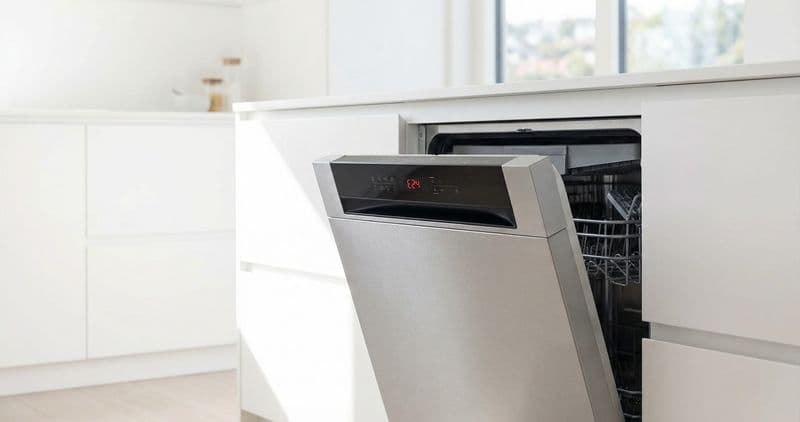
A Bosch [dishwasher](/blog/repair-or-replace-dishwasher) flashing its lights is not a random glitch — on the many Bosch models sold without a numeric display, the blinking LEDs are the diagnostic screen. The most likely cause of an all-lights-flashing pattern is an E15 AquaStop trip (water in the base pan), which is often a DIY fix; a repeating counted blink pattern is Bosch spelling out an E-code you can read yourself before deciding whether to call a technician.
Quick answer: read the blink, then decide#
If the program lights flash all together, treat it as E15 first — the base-pan float has tripped the AquaStop valve. If a single indicator or a counted sequence is blinking, count the flashes between pauses; that number is the E-code. A drain-related E24 or E25 and an E15 reset are homeowner-friendly; a code that returns after every reset points at the door latch, control board, or wiring and is a technician job.
Do You Have the Right Tools?
Water pressure gauge ($60), spray arm tester, float switch multimeter ($85), and drain inspection camera. Our technician arrives with $3,000+ in professional tools — your diagnostic is free.
Licensed & Insured · 90-Day Warranty · Same-Day Service
How Bosch turns LEDs into error codes#
On Ascenta, 100 Series and older SHE3AR-type models there is no screen, so the cycle-status LEDs (Clean, Sanitized, Rinse Aid) blink out the same code a 300/500/800 Series shows numerically. The rule is simple: count the blinks between the pauses.
- 2 blinks, pause, 4 blinks → E24 (drain path blocked)
- 2 blinks, pause, 5 blinks → E25 (drain pump obstruction)
- 1 blink, pause, 5 blinks → E15 (water detected in the base pan)
The sequence loops until the fault clears and the machine is reset, so you have as long as you need to read it. Write the count down before you touch anything — it is the single most useful thing you can hand a technician.
Start here: the E15 AquaStop trip (most common all-lights pattern)#
Bosch's AquaStop leak protection is deliberately sensitive — as little as a tablespoon of water under the tub floats the safety switch and closes the inlet valve, freezing every light. A brand-new install is the classic false alarm: residual factory-test water slides into the pan when the unit is tilted during delivery.
- Switch off the breaker feeding the dishwasher (do not rely on the power button — these units are hardwired).
- Remove the lower kick panel; on most models this is two T20 Torx screws.
- Tilt the machine back about 45 degrees so water in the base pan runs forward into the tub, then sponge the pan dry.
- Level the machine, restore power, and start a program. The float drops, E15 clears, and the lights go steady.
If E15 comes straight back after a real cycle, stop resetting it — there is an active leak (a tub gasket, a spray-arm seal, or the heat-pump o-ring) and repeated tilting only postpones a proper repair.
Safety First — Know the Risks
Live 120V wiring in a wet environment is one of the most dangerous DIY scenarios. Water + electricity = serious shock risk. Our techs are licensed and insured — let them handle the risk.
Licensed & Insured · 90-Day Warranty · Same-Day Service
The blinking-Start and blinking-Clean patterns#
Only Start or Active flashing#
This is a paused cycle, not a fault. A brownout, an opened door, or a momentary AquaStop nudge halts the program and it waits for you. Close the door and press Start once to resume. If it will not resume, hold Start for three to five seconds to cancel, then begin a fresh cycle.
Clean light blinking with water left in the tub#
A rapidly blinking Clean indicator plus standing water means the drain phase failed — the same family as E24/E25. Check the drain hose for a kink, confirm the disposer knockout plug was removed on a new install, and clear the pump impeller behind the twist-off cover in the sump.
The InfoLight on 500 and 800 Series#
Higher trims project a red dot on the floor instead of, or alongside, blinking LEDs. A steady dot is normal running; a flashing dot is a pause waiting for you; no dot when a cycle should be running means the door latch never engaged; a dot that never goes out is a stuck controller that a hard reset usually frees.
The Real Cost of DIY
Average DIY attempt: $150-400 in tools you may use once, plus the risk of further damage. Our diagnostic visit costs $0 — we find the problem and give you an honest quote.
Licensed & Insured · 90-Day Warranty · Same-Day Service
Which causes are DIY and which need a technician#
- DIY: the E15 pan-dry procedure, a paused-cycle Start reset, and clearing a drain blockage behind the sump cover — all reachable without meters or removing the door.
- Pro-only — door latch micro-switch: if the machine cycles as though the door keeps opening, the latch switch is failing. Confirming it needs continuity testing, so it is a technician call.
- Pro-only — control-board handshake fault: when the UI board and main board cannot communicate, the LEDs flash in a pattern no reset clears. This is board or ribbon-cable diagnosis, not a homeowner fix.
- Pro-only — wiring-harness short: an intermittent short throws errors the controller cannot latch, and chasing it safely means isolating circuits under power.
The dividing line is simple: anything you can see and clear (water, debris, a kink) is yours; anything that needs a multimeter or a board swap is a technician's.
Reset ladder, mildest first#
- Soft reset: hold Start/Reset three seconds, wait two minutes, try again.
- Hard reset: breaker off five full minutes so the control fully discharges, then restore power.
- AquaStop reset: the pan-dry steps above for a standing E15.
Don't Void Your Warranty
Opening your appliance yourself may void the manufacturer warranty. Our repair comes with a 90-day guarantee, and we document everything for warranty compliance.
Licensed & Insured · 90-Day Warranty · Same-Day Service
Preventing repeat blinking#
- Do not press buttons while loading — an accidental combination can drop the machine into diagnostic mode and produce confusing light behavior.
- Treat a recurring E15 as a leak to find, not a nuisance to reset.
- Note which LEDs blink and the exact count every time; that record turns a vague "it is flashing" into a same-visit diagnosis.
Bosch dishwasher still blinking after a reset? EasyBear technicians read the code and repair same-day across [Sacramento](/sacramento/sacramento) and the Bay Area. Book a repair.
Frequently Asked Questions#
Why are the lights on my Bosch dishwasher flashing?#
On display-free Bosch models the lights ARE the fault readout: a repeating blink count between pauses maps to an E-code (2 then 4 blinks = E24 drain). If every program light flashes at once, that is the E15 AquaStop water-in-base trip, not a control fault.
How do I stop a Bosch dishwasher from blinking?#
First try a hard reset: switch off the circuit breaker for five minutes (Bosch units are hardwired, so the power button is not enough), then restore power and pick a program. If the same blink pattern returns, the underlying fault, most often E15, is still present and needs clearing at the source.
What does it mean when all the lights flash together?#
Simultaneous all-light flashing is the E15 AquaStop condition: the float in the base pan has sensed water and closed the inlet valve. Tilt the machine back to drain the pan and dry it; if it returns, there is a real internal leak.
Is a flashing Bosch dishwasher safe to keep using?#
An E15 trip has already shut the water off, so there is no flood risk, but the cycle will not run until the pan is dry. A blinking Start light just means a paused cycle you can resume. Persistent blinking after a reset means a component fault worth a diagnosis.
Appliance Repair Technician · 8 years experience
Experienced technician with 8 years specializing in dishwasher repairs and European appliance brands including Bosch and Thermador.


