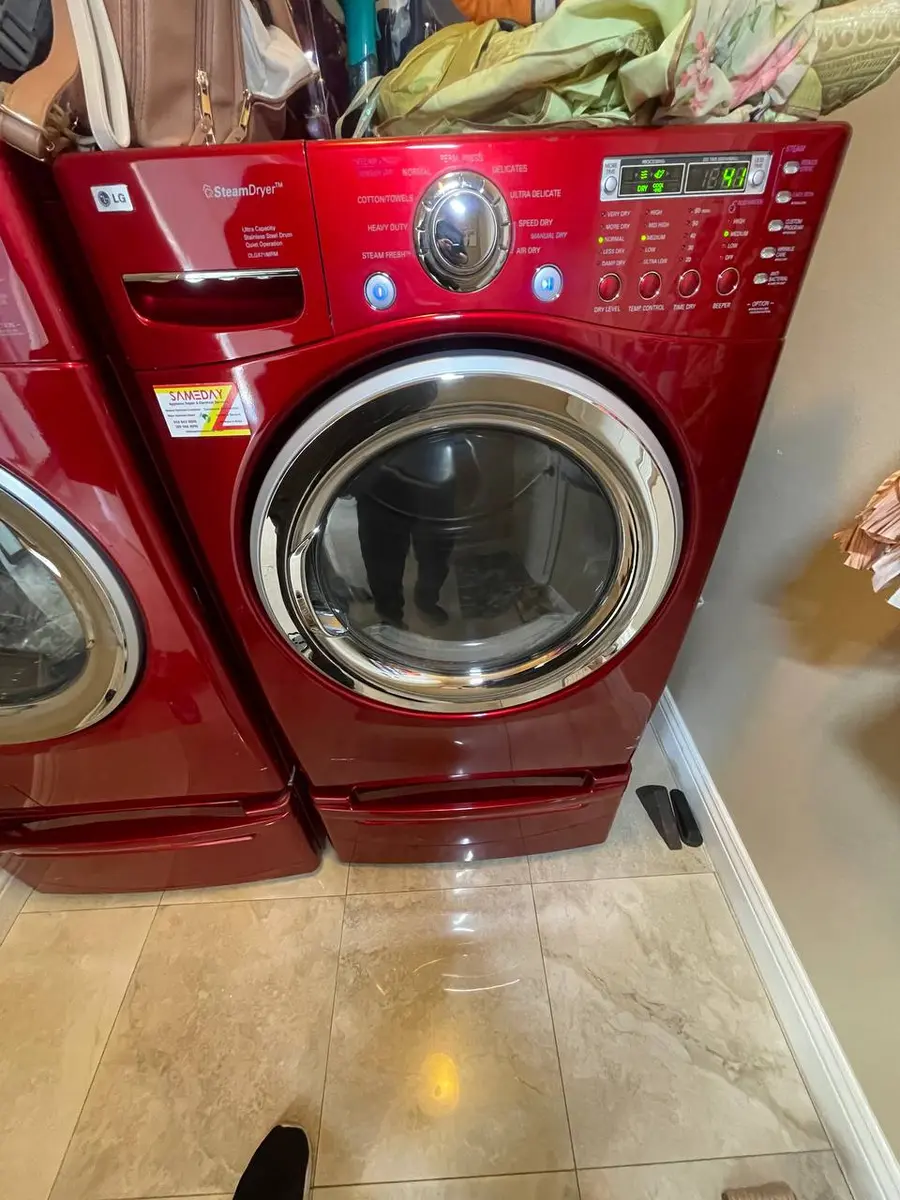
What do the Samsung Dryer error codes mean?
All Samsung dryer error codes explained with step-by-step fixes. Covers gas and electric models including HC, tS, dC, AE, 9C1, and more.
- dC — Door / Door Switch Error
- tS — Temperature Sensor Error
- HC — Dryer Overheating
- HC2 — Gas Ignition Failure
- 9C1 — Voltage Supply Error
- bE — Button Stuck Error
Samsung Dryer Error Codes — Quick Reference#
| Code | Meaning | Severity | DIY? |
|---|---|---|---|
| dC(dE, do, d0, 1DC) | Door / Door Switch Error | low | DIY OK |
| tS(t5, tC, tO, tE, tE3) | Temperature Sensor Error | high | Pro Only |
| HC(hE, HC4, 1HC) | Dryer Overheating | high | DIY OK |
| HC2 | Gas Ignition Failure | high | Pro Only |
| 9C1(9E, 2E) | Voltage Supply Error | medium | DIY OK |
| bE(bE2, bC2, 6E) | Button Stuck Error | medium | DIY OK |
| AE(EEE, AE4, AE3, Et, 1AC) | Communication Error | high | Pro Only |
| 3C(3E) | Motor Error | high | Pro Only |
| FE(FC, 1FC) | Power Frequency Error | medium | Pro Only |
| oD | Overdrying Detected | low | DIY OK |
| Et | Lint Filter Clog Warning | low | DIY OK |
| clg | Vent Blockage Detected | high | DIY OK |
| HS | Humidity Sensor Error | medium | Pro Only |
| do | Dry Cycle Complete (Not an Error) | low | DIY OK |
| SE | Key Panel Short | medium | Pro Only |
| AC(AC6) | Signal Error | medium | Pro Only |
| CE | Overcurrent Error | high | Pro Only |
| PF | Power Failure | low | DIY OK |
Samsung Dryer Broken? Same-Day Diagnostic Available
Our certified technicians serve the Bay Area and Sacramento. Free diagnostic visit — we identify the problem, quote the repair, and fix it on the spot in most cases. No hidden fees.
Licensed & Insured · 90-Day Warranty · Same-Day Service
dC — Door / Door Switch Error#
Common Causes
- Door not fully latched(common) — The dryer door appears closed but the switch does not register the latch engagement.
- Lint on door latch(common) — Lint and debris prevent the door from closing flush against the frame.
- Door switch failure(occasional) — The mechanical switch behind the door frame wears out and stops clicking.
DIY Fix
- Open the door fully and inspect the latch area for lint or debris.
- Wipe the door seal and strike area with a damp cloth.
- Close the door firmly until you hear a distinct click.
- Press Start to resume the cycle.
Professional Repair
Estimated Cost
$100-180
Repair Time
20-30 minutes
A failed door switch requires removing the dryer top panel to access and replace the switch assembly.
tS — Temperature Sensor Error#
Common Causes
- Thermistor failure(common) — The NTC thermistor on the blower housing reads open or shorted, preventing temperature regulation.
- Sensor wiring damage(occasional) — Vibration from the drum motor loosens the thermistor wire connector over time.
- Exhaust thermistor failure(occasional) — The second thermistor near the exhaust duct fails, triggering a safety cutoff.
Professional Repair
Estimated Cost
$120-220
Repair Time
30-45 minutes
Samsung dryers have two thermistors: one on the blower housing and one near the exhaust. Both should be tested (40k ohms at room temperature) and the correct one replaced.
HC — Dryer Overheating#
Common Causes
- Clogged exhaust vent(common) — Lint buildup in the dryer vent duct restricts airflow, causing the drum temperature to exceed safe limits.
- Lint screen clogged(common) — A severely clogged lint screen reduces airflow through the drum.
- Heating element failure(occasional) — The heating element partially shorts, running at higher wattage than designed.
- Crushed or kinked vent duct(occasional) — The flexible foil duct behind the dryer is compressed against the wall.
DIY Fix
Warning
Fire hazard: clogged dryer vents cause over 15,000 home fires per year in the US. Clean vents at least annually.
- Unplug the dryer (or turn off gas supply for gas models).
- Remove and clean the lint screen with soap and water, let it dry.
- Disconnect the vent duct from the back of the dryer.
- Use a vent brush kit to clean the entire vent run from dryer to exterior wall.
- Clean inside the dryer vent outlet with a vacuum.
- Reconnect the duct and ensure it is not kinked or crushed.
- Run a short cycle to verify the overheating code clears.
Professional Repair
Estimated Cost
$150-300
Repair Time
45-60 minutes
If vent cleaning does not resolve HC, the heating element or hi-limit thermostat may need replacement. In our Sacramento service calls, vent cleaning solves HC codes 85% of the time.
Samsung Repair Tools Required
DIY tool investment: $0+ just for basics. Our technician arrives with $15,000+ in professional tools — your diagnostic is free.
HC2 — Gas Ignition Failure#
Common Causes
- Igniter failure(common) — The glow-bar igniter cracks or weakens and cannot reach the temperature needed to open the gas valve.
- Gas valve solenoid failure(occasional) — One or both gas valve coils fail, preventing gas flow even with a working igniter.
- Gas supply issue(occasional) — The gas supply valve is partially closed or the gas line pressure is too low.
Professional Repair
Estimated Cost
$150-280
Repair Time
45-60 minutes
Gas dryer repairs require shutting off the gas supply and testing with a multimeter. The igniter should glow bright orange. If it glows but gas does not ignite, the coils need replacement.
9C1 — Voltage Supply Error#
Common Causes
- Incorrect voltage(common) — Electric dryers require 240V from a dedicated 30-amp circuit. Voltage below 200V triggers this code.
- Loose outlet connection(occasional) — The 4-prong dryer outlet has a loose connection causing intermittent voltage drops.
- Breaker partially tripped(occasional) — A double-pole breaker has one leg tripped, providing only 120V instead of 240V.
DIY Fix
Warning
Electric dryers operate at 240V which can cause severe electric shock. Do not attempt outlet repairs without an electrician.
- Check the circuit breaker panel. The dryer should be on a dedicated 30-amp double-pole breaker.
- Flip the breaker fully OFF then back ON (reset both poles).
- If you have a multimeter, test the outlet for 240V AC between the two hot terminals.
- Ensure the dryer plug is fully seated in the outlet.
Professional Repair
Estimated Cost
$100-200
Repair Time
30 minutes
If the outlet tests correctly at 240V but the error persists, the power cord or terminal block inside the dryer may have a failed connection.
bE — Button Stuck Error#
Common Causes
- Stuck button(common) — Dryer sheet residue or fabric softener buildup causes a control panel button to stick.
- Control panel membrane issue(occasional) — The membrane overlay under the buttons develops a blister or short from heat exposure.
DIY Fix
Warning
Do not use excessive water on the control panel.
- Power off the dryer and press each button individually to release any stuck ones.
- Wipe the control panel with a slightly damp cloth.
- Power the dryer back on and test.
Professional Repair
Estimated Cost
$150-280
Repair Time
30-45 minutes
If button cleaning does not help, the membrane overlay or UI board needs replacement.
Licensed & insured technicians, a free in-home diagnostic, and a 90-day repair guarantee — with our no-fix, no-fee promise, you only pay if we fix it.
AE — Communication Error#
Common Causes
- Internal board failure(common) — The serial communication between the main PCB and the UI board is disrupted by a component failure.
- Wiring harness damage(occasional) — The flat ribbon cable connecting the two boards is damaged from heat or vibration.
- Power surge damage(occasional) — A surge event damages communication ICs on one or both boards.
Professional Repair
Estimated Cost
$200-380
Repair Time
45-60 minutes
Both boards and the interconnect harness must be tested. In our Bay Area repair data, the main board is the culprit 65% of the time.
3C — Motor Error#
Common Causes
- Drum belt broken(common) — The narrow drive belt snaps, causing the motor to spin freely without moving the drum.
- Motor failure(occasional) — The drum motor burns out after 8-12 years, unable to start or maintain rotation.
- Motor inverter issue(rare) — On inverter-motor models, the inverter board fails to provide proper power.
Professional Repair
Estimated Cost
$150-350
Repair Time
45-90 minutes
If the drum does not turn but the motor hums, the belt is likely broken. Belt replacement requires removing the dryer top and front panels. The idler pulley and belt should be replaced together.
FE — Power Frequency Error#
Common Causes
- Power supply frequency deviation(common) — The AC power frequency deviates from the expected 60Hz, usually during generator operation.
- Noise filter board failure(occasional) — The input power filter board on the dryer fails to regulate incoming power.
Professional Repair
Estimated Cost
$120-200
Repair Time
30 minutes
FE is uncommon during normal utility power. If it occurs on utility power (not generator), the noise filter board likely needs replacement.
DIY Risk: Wrong Diagnosis = Bigger Bill
Replacing the wrong part on your Dryer wastes money and time. A wrong diagnosis often turns a $150 repair into a $600+ problem. Our free diagnostic eliminates the guesswork.
oD — Overdrying Detected#
Common Causes
- Dirty moisture sensor bars(common) — Fabric softener and dryer sheet residue coat the two metal sensor bars inside the drum, preventing accurate moisture readings.
- Moisture sensor malfunction(rare) — The sensor itself fails and cannot detect moisture content in the clothes.
DIY Fix
- Locate the two metal moisture sensor bars inside the drum (usually near the lint filter opening).
- Dampen a cloth with rubbing alcohol.
- Wipe both sensor bars thoroughly to remove residue buildup.
- Run a test load to verify improved performance.
Professional Repair
Estimated Cost
$100-180
Repair Time
20-30 minutes
If cleaning the bars does not help, the sensor assembly or its wiring needs replacement.
Et — Lint Filter Clog Warning#
Common Causes
- Lint buildup on filter(common) — The lint screen is clogged with lint, reducing airflow through the drum.
- Lint filter sensor dirty(occasional) — The sensor that detects lint screen blockage is coated with residue.
DIY Fix
Warning
Clean the lint filter before every load to prevent fire hazards.
- Remove the lint filter from the dryer.
- Peel off accumulated lint from the screen.
- Wash the screen with warm soapy water if there is residue buildup (from dryer sheets).
- Let it dry completely before reinstalling.
Professional Repair
Estimated Cost
$89
Repair Time
10 minutes
This is always a user-serviceable maintenance item.
clg — Vent Blockage Detected#
Common Causes
- Vent duct blockage(common) — Samsung dryers with vent sensors detect restricted airflow through the exhaust system.
- Long or restrictive vent run(occasional) — Vent runs over 25 feet or with multiple 90-degree elbows create too much resistance.
DIY Fix
Warning
Do not use plastic or vinyl vent duct. Use only metal duct rated for dryer exhaust.
- Disconnect the vent duct from the back of the dryer.
- Use a vent brush kit to clean the entire duct run to the exterior.
- Check the exterior vent flap for obstruction (bird nests, lint, snow).
- Replace flexible foil duct with rigid or semi-rigid metal duct if possible.
- Reconnect and test with a short cycle.
Professional Repair
Estimated Cost
$100-200
Repair Time
30-60 minutes
Professional vent cleaning is recommended for long vent runs or runs through walls/ceilings where DIY brush kits cannot reach.
Repair vs Replace: The Math
Most Dryer issues are fixable at a fraction of replacement cost. Our free diagnostic tells you exactly what is wrong and gives you an honest quote — no obligation.
HS — Humidity Sensor Error#
Common Causes
- Humidity sensor failure(common) — The sensor that monitors exhaust air humidity fails, preventing the auto-dry feature from working.
- Wiring connection loose(occasional) — The connector to the humidity sensor vibrates loose.
Professional Repair
Estimated Cost
$120-200
Repair Time
30-45 minutes
The humidity sensor is located in the exhaust duct area and requires removing the dryer back or front panel to access.
do — Dry Cycle Complete (Not an Error)#
Common Causes
- Normal cycle completion(common) — The dryer has finished its cycle and is in the cool-down phase.
DIY Fix
- This is not an error code. It indicates the dry cycle has completed.
- Open the door and remove your clothes promptly to prevent wrinkles.
Professional Repair
Estimated Cost
$0
Repair Time
0 minutes
No repair needed. This is a normal status indicator.
SE — Key Panel Short#
Common Causes
- Moisture in control panel(common) — Steam from the laundry area or spilled liquid seeps into the control panel membrane.
- Control panel membrane failure(occasional) — The overlay membrane develops internal shorts from heat exposure over years.
Professional Repair
Estimated Cost
$150-280
Repair Time
30-45 minutes
The control panel membrane is bonded to the metal panel and must be carefully replaced without damaging the ribbon cable.
Samsung Dryer Broken? Same-Day Diagnostic Available
Our certified technicians serve the Bay Area and Sacramento. Free diagnostic visit — we identify the problem, quote the repair, and fix it on the spot in most cases. No hidden fees.
Licensed & Insured · 90-Day Warranty · Same-Day Service
AC — Signal Error#
Common Causes
- Communication error between sensors(common) — The auto-clean sensor circuit sends invalid data to the main board.
- Board component failure(occasional) — A capacitor or IC on the main board related to sensing fails.
Professional Repair
Estimated Cost
$150-300
Repair Time
30-45 minutes
AC signal errors typically require board-level diagnosis and replacement.
CE — Overcurrent Error#
Common Causes
- Motor overcurrent(common) — The drum motor draws excessive current due to worn bearings or a seized drum.
- Board relay failure(occasional) — A relay on the main board sticks, sending continuous power to the motor or heater.
Professional Repair
Estimated Cost
$200-380
Repair Time
45-90 minutes
Overcurrent protection is a safety feature. The motor, drum rollers, and belt must all be inspected. Worn drum rollers are the most common underlying cause.
PF — Power Failure#
Common Causes
- Power interruption during cycle(common) — The dryer lost power mid-cycle due to a utility outage, tripped breaker, or loose plug.
DIY Fix
- Press Start/Pause to resume the interrupted cycle.
- If PF appears without an actual outage, check that the plug is firmly seated in the outlet and the breaker has not tripped.
Professional Repair
Estimated Cost
$89
Repair Time
10 minutes
PF rarely requires repair. If it occurs frequently without power outages, have an electrician check the circuit and outlet.
How to Enter Samsung Dryer Diagnostic Mode#
- Power on the dryer and ensure the drum is empty.
- Press and hold Dry Level + Time simultaneously for 3 seconds.
- The display shows "tSt" indicating diagnostic mode entry.
- The dryer cycles through heater, motor, thermistor, and moisture sensor tests.
- Press Power to exit diagnostic mode.
Samsung Smart Care: open the SmartThings app, select your dryer, tap Support > Smart Care. The app reads error history via audio tones or NFC.
Samsung Repair Tools Required
DIY tool investment: $0+ just for basics. Our technician arrives with $15,000+ in professional tools — your diagnostic is free.
Samsung Dryer Repair Cost Guide#
| Repair | Parts | Labor | Total |
|---|---|---|---|
| Heating element replacement | $30-55 | $100-150 | $130-205 |
| Drum belt + idler pulley replacement | $20-40 | $100-150 | $120-190 |
| Control board replacement | $100-200 | $100-150 | $200-350 |
| Gas igniter + valve coils replacement | $40-70 | $100-150 | $140-220 |
| Thermistor replacement | $15-30 | $80-120 | $95-150 |
| Drum roller replacement (set of 4) | $20-40 | $120-180 | $140-220 |
| Door switch replacement | $10-25 | $80-120 | $90-145 |
Frequently Asked Questions#
What does Samsung dryer error code HC mean?
HC means your dryer is overheating, almost always due to a clogged exhaust vent. Clean the lint screen, then disconnect and clean the entire vent duct from the dryer to the outside wall. In our Sacramento service calls, vent cleaning resolves HC codes 85% of the time. A clogged dryer vent is also a serious fire hazard.
How do I clean my Samsung dryer moisture sensor?
The two metal moisture sensor bars are located inside the drum, usually near the lint filter opening. Wipe them with a cloth dampened with rubbing alcohol to remove fabric softener and dryer sheet residue. This improves auto-dry accuracy and can resolve the oD (overdrying) code. Clean the sensors monthly if you use dryer sheets.
Why does my Samsung dryer take multiple cycles to dry clothes?
The number one cause is a partially clogged exhaust vent. Even before the HC overheating code triggers, a restricted vent significantly increases drying time. Clean the full vent run from dryer to exterior. Also check that the lint screen is clean and the dryer is not overloaded. Based on our Bay Area repair data, vent cleaning reduces drying time by 30-50% in most cases.
Is Samsung dryer error code AE serious?
Yes, AE indicates a communication failure between the main control board and the UI board. This requires professional diagnosis. The repair costs $200-380 depending on which board is at fault. Try unplugging the dryer for 10 minutes first, as some AE codes are caused by power surges.
Can I replace a Samsung dryer belt myself?
A Samsung dryer belt replacement is a moderate DIY project. It requires removing the top panel, front panel, and threading the new belt around the drum, idler pulley, and motor shaft. The belt costs $10-20. If you are not comfortable with disassembly, a professional can do it for $120-190 total.
What does the Samsung dryer 9C1 voltage error mean?
For electric dryers, 9C1 means the dryer is not receiving the full 240V it requires. Check your circuit breaker panel for a partially tripped double-pole breaker. Reset both poles fully OFF then ON. If the error persists, have an electrician test the outlet. Gas dryers use 120V and should not show this code.
How do I enter Samsung dryer diagnostic mode?
With the dryer powered on and the drum empty, press and hold Dry Level + Time simultaneously for 3 seconds. The display shows "tSt" confirming diagnostic entry. The dryer cycles through heater, motor, thermistor, and moisture sensor tests. You can also use the SmartThings app Smart Care feature.
How long do Samsung dryers typically last?
Based on our repair data, Samsung dryers average 10-13 years with proper maintenance. The most common failure points are the drum belt (4-7 years), heating element (5-8 years), and drum rollers (6-9 years). Annual vent cleaning and monthly lint screen washing significantly extend lifespan.
Why is my Samsung dryer making loud noises?
Loud thumping usually indicates worn drum rollers ($140-220 to replace). Squealing suggests a worn belt or idler pulley ($120-190). Grinding may mean a failed drum glide ($100-150). A metallic scraping sound often means a foreign object is caught between the drum and housing.
Does Samsung dryer error code dC mean the door is broken?
Not usually. DC most often means the door is not fully latched. Clean the latch area of lint, close the door firmly, and restart. If DC persists with the door clearly closed, the door switch may need replacement, which is a simple $90-145 repair.
Licensed & insured technicians, a free in-home diagnostic, and a 90-day repair guarantee — with our no-fix, no-fee promise, you only pay if we fix it.
Lead Appliance Repair Technician · 12 years experience
Experienced technician with 12 years specializing in washing machine and dryer repairs across all major brands.