
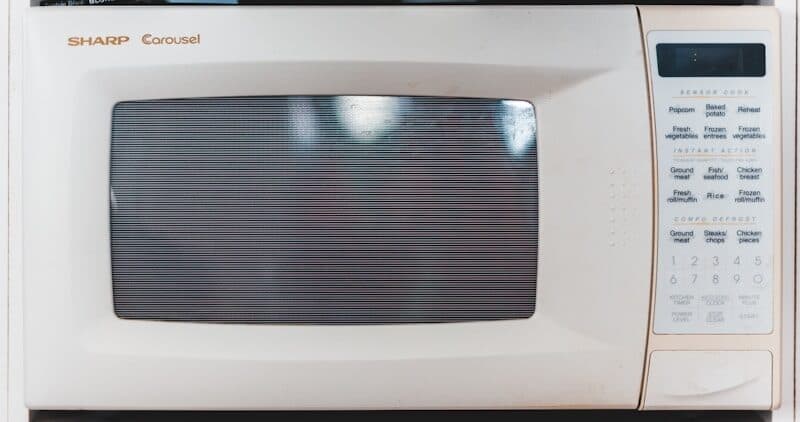
Kenmore microwaves are manufactured primarily by LG, Whirlpool, and Panasonic — and each uses a completely different error code system. The model number prefix on your Kenmore microwave tells you who built it, which is critical for accurate troubleshooting. This cross-manufacturer guide covers every Kenmore microwave error code platform so you can identify the problem and decide whether it is a safe DIY fix or needs professional help.
Critical safety warning: Microwaves contain a high-voltage capacitor that stores a lethal electrical charge (4,000+ volts) even when unplugged. Never open the microwave cabinet or attempt internal repairs unless you are trained in high-voltage safety. The troubleshooting steps in this guide cover safe, external fixes. Internal component replacement should be performed by a qualified technician.
Identify Your Kenmore Microwave's Manufacturer#
Find the model number sticker — usually inside the door, on the side of the cabinet, or on the back panel. The first three digits reveal the manufacturer:
- 721.xxxxx — Built by LG (the most common Kenmore microwaves, including over-the-range models)
- 665.xxxxx — Built by Whirlpool (countertop and some over-the-range models)
- 405.xxxxx — Built by Panasonic (countertop models, particularly Kenmore Elite)
- 790.xxxxx — Built by Frigidaire (combination microwave-oven units)
Do You Have the Right Tools?
High-voltage capacitor discharge tool ($90), magnetron tester ($200), microwave leakage detector ($150). Our technician arrives with $3,000+ in professional tools — your diagnostic is free.
Licensed & Insured · 90-Day Warranty · Same-Day Service
LG-Built Kenmore Microwaves (721.xxxxx)#
These are the most common Kenmore microwaves, especially over-the-range (OTR) models. They use LG's error code system.
F-1 / SE — Touchpad / Membrane Error#
A button on the touchpad is stuck or the membrane switch has failed.
Common causes:
- Touchpad button stuck from moisture or spilled food
- Membrane switch degraded from age and heat exposure
- Ribbon cable between touchpad and control board corroded
How to fix:
- Unplug the microwave for 5 minutes, then plug back in. If F-1 or SE clears, the issue was a temporary glitch.
- Clean the touchpad surface with a damp cloth — food residue or moisture around buttons can cause false readings.
- Press each button individually to check if any feels stuck or unresponsive.
- If the error returns, the membrane switch (touchpad overlay) has degraded. Replacement cost varies by model and region depending on the model. On many Kenmore microwaves, the touchpad and control board are a single assembly.
F-2 — Humidity Sensor Error#
The humidity sensor (used for auto-cook and sensor reheat functions) is not reading correctly.
Common causes:
- Sensor element dirty or coated with grease/steam residue
- Sensor failed from repeated high-humidity cooking
- Wiring issue between sensor and control board
How to fix:
- The humidity sensor is located inside the cooking cavity, usually on the top wall. Clean it with a damp cloth and mild detergent — grease buildup from cooking is the most common cause.
- If cleaning does not resolve F-2, the sensor element may have failed. This is an internal component requiring professional replacement.
- As a workaround, you can use manual cook times instead of sensor-based auto cook — the microwave still functions normally for manual operations.
F-3 — Temperature Sensor Error (Shorted)#
The internal temperature sensor circuit is reading a short (near zero resistance).
Common causes:
- Sensor wire damaged or pinched
- Sensor element failed with internal short
- Moisture causing a short in the sensor connector
How to fix:
- Unplug the microwave and let it sit for 10 minutes. Moisture in the sensor area can cause temporary shorts that clear when dry.
- If F-3 persists, the sensor needs replacement — this is an internal repair requiring professional service.
F-4 — Temperature Sensor Error (Open)#
The temperature sensor circuit is reading infinite resistance — the sensor is disconnected or its element is broken.
Common causes:
- Sensor wire disconnected from vibration or thermal cycling
- Sensor element failed open
- Connector corrosion at the control board end
How to fix:
- Unplug for 5 minutes and restart. If F-4 clears, the connection was intermittent.
- If F-4 persists, the sensor requires professional replacement.
F-5 — Inverter / High-Voltage Error#
The microwave inverter circuit (which controls cooking power levels) has detected a fault. This is a serious error.
Common causes:
- Inverter board failure
- Magnetron drawing abnormal current
- High-voltage transformer issue
- Internal wiring short
How to fix:
- Unplug the microwave immediately. Do not attempt to diagnose this error yourself.
- F-5 indicates a high-voltage circuit problem. The inverter board, magnetron, and high-voltage components store lethal charges.
- This repair requires a qualified technician. Inverter board replacement cost varies by model and region. If the magnetron has failed, total repair cost may approach the price of a new microwave.
F-6 / F-7 — Relay Error#
A relay on the control board is stuck open (F-6) or stuck closed (F-7). Relays control power to the magnetron and turntable motor.
Common causes:
- Control board relay contacts welded from arcing (F-7 is especially dangerous — the magnetron may stay on)
- Relay coil failure
- Board-level component damage
How to fix:
- If F-7 appears and the microwave seems to be running continuously (not stopping), unplug immediately. A stuck-closed relay means the magnetron receives power even when it should be off.
- Both F-6 and F-7 require control board replacement. This is a professional repair.
F-9 — Over-Temperature Error#
The microwave cavity temperature has exceeded safe limits.
Common causes:
- Vent system blocked (over-the-range models — the exhaust fan vent is restricted)
- Cooking multiple long cycles back-to-back without cooling
- Exhaust fan motor failure (on OTR models)
How to fix:
- Stop using the microwave and let it cool for 30 minutes.
- On over-the-range models, check the exhaust vent and grease filters. Remove the filters and clean them in hot soapy water — grease buildup restricts airflow.
- Verify the exhaust fan runs when cooking. If the fan is dead, the motor (part ABA72913413) may need replacement — varies by model and region.
- If the microwave vents externally, check the duct to the outside for blockage.
Whirlpool-Built Kenmore Microwaves (665.xxxxx)#
Whirlpool-built Kenmore microwaves use a different code set, though some codes overlap with LG.
F1 — Internal Circuit Error#
The control board has detected an internal fault.
How to fix:
- Unplug for 5 minutes and restart. F1 occasionally clears after a power reset.
- If F1 returns, the control board has failed and needs replacement.
F2 — Humidity Sensor Shorted#
The humidity sensor is reading near-zero resistance.
How to fix:
- Clean the humidity sensor inside the cavity with a damp cloth.
- If the error persists after cleaning, the sensor needs professional replacement.
- Manual cooking modes still work — use them as a workaround.
F3 — Humidity Sensor Open#
The humidity sensor circuit is reading infinite resistance.
How to fix:
- Same as F2 — clean the sensor first.
- If error persists, the sensor element has failed open and needs replacement.
F5 — Main Board Error#
The main control board has detected a component failure in its own circuits.
How to fix:
- Unplug for 5 minutes and retry.
- If F5 returns, the board needs replacement. This is a professional repair.
F9 — Door Switch Error#
One or more door switches are not in the expected state. The microwave will not start.
Common causes:
- Door not fully closed or latched
- Door switch failure (microwaves have 2–3 interlock switches for safety)
- Door latch hook broken
How to fix:
- Open and close the door firmly. Ensure nothing is caught preventing full closure.
- Inspect the door latch hooks — if either plastic hook is broken, the door will not engage the switches properly. Hook replacement cost varies by model and region.
- If hooks are intact but the error persists, one of the interlock switches has failed. This requires opening the cabinet and is a professional repair due to the high-voltage capacitor inside.
Safety First — Know the Risks
Microwave capacitors store lethal voltage (4,000V+) even when unplugged. This is the single most dangerous DIY appliance repair. Our techs are licensed and insured — let them handle the risk.
Licensed & Insured · 90-Day Warranty · Same-Day Service
Panasonic-Built Kenmore Microwaves (405.xxxxx)#
Panasonic-built Kenmore microwaves (mostly countertop) use Panasonic's own code system.
H97 — Inverter Circuit Error#
The inverter power circuit has detected an abnormal condition.
Common causes:
- Inverter board component failure
- Magnetron drawing excessive current
- Input voltage issue
How to fix:
- Unplug for 5 minutes and restart. Panasonic inverters sometimes clear transient errors.
- If H97 returns, the inverter board has failed. Panasonic inverter boards cost varies by model and region.
- Professional repair recommended due to high-voltage components.
H98 — Magnetron / High-Voltage Error#
The magnetron or high-voltage circuit has failed.
How to fix:
- Do not attempt DIY repair. Unplug the microwave.
- If the microwave is more than 5 years old and shows H98, the repair cost (magnetron + labor) often exceeds the value of the unit.
H99 — Temperature Sensor Error#
The cavity temperature sensor has failed or is reading out of range.
How to fix:
- Let the microwave cool for 30 minutes and retry.
- If H99 persists, the sensor needs replacement — professional service required.
Kenmore Microwave Diagnostic Mode#
- LG-built (721): There is generally no user-accessible diagnostic mode. Service technicians use a special key sequence documented in the service manual that varies by model.
- Whirlpool-built (665): Hold the Start button for 6 seconds. Some models enter a test cycle that checks the door switches, turntable motor, fan, and magnetron relay in sequence.
- Panasonic-built (405): Press Stop/Reset three times quickly, then hold the Start button. The display shows component status codes.
The Real Cost of DIY
Average DIY attempt: $150-400 in tools you may use once, plus the risk of further damage. Our diagnostic visit costs $0 — we find the problem and give you an honest quote.
Licensed & Insured · 90-Day Warranty · Same-Day Service
Frequently Asked Questions#
Q: My Kenmore microwave shows SE and the touchpad does not respond. Is it fixable? A: SE typically means the touchpad membrane has failed. First, try unplugging for 5 minutes — SE sometimes clears from a temporary moisture or static issue. If it returns, the touchpad assembly needs replacement. On many LG-built Kenmore microwaves, the touchpad and control board are a single unit costing varies by model and region for the part.
Q: Is it safe to fix a microwave myself? A: External fixes are safe: cleaning sensors, replacing light bulbs, cleaning filters, replacing turntable motors, and replacing door latch hooks with the unit unplugged. However, any repair requiring opening the microwave cabinet is dangerous due to the high-voltage capacitor (4,000+ volts) that retains charge even when unplugged. Internal repairs should only be performed by trained technicians who know how to safely discharge the capacitor.
Q: My Kenmore over-the-range microwave fan is not working. Is that an error code? A: Most microwaves do not show a specific error code for exhaust fan failure. If the fan is not turning on when you press the Vent/Exhaust button, the fan motor may have failed. On LG-built models, listen for a humming sound — humming without spinning means the motor bearings are seized. No sound at all means the motor is dead. Fan motor replacement is varies by model and region for the part.
Q: My Kenmore microwave runs but does not heat food. What should I do? A: A microwave that runs (turntable spins, light works) but does not heat has a magnetron failure in most cases. The magnetron generates the microwaves that heat food. Less commonly, the high-voltage diode or capacitor has failed. Do not attempt to diagnose by opening the cabinet — call a technician. If the microwave is more than 7–8 years old, replacing it is often more cost-effective than a magnetron repair.
Q: Should I repair or replace my Kenmore microwave? A: As a general rule: if the repair cost exceeds 50% of a new equivalent microwave and the unit is over 5 years old, replacement is more economical. Touchpad/SE errors (varies by model and region repair) and magnetron failures (varies by model and region repair) often cross this threshold for countertop models, but may be worth repairing on built-in or over-the-range models where replacement also involves installation costs.
When to Call a Professional#
- Any error involving high voltage (F-5, F-6, F-7, H97, H98) — These indicate failures in the high-voltage circuit. Do not open the microwave cabinet. The capacitor retains lethal charge even when unplugged.
- Microwave runs but does not heat — Magnetron failure requires discharge of the high-voltage capacitor and replacement of a component carrying 4,000+ volts.
- Burning smell or sparking inside the cavity — Unplug immediately. Sparking from the waveguide cover (mica sheet on the cavity wall) is common and repairable, but any electrical burning smell from inside the cabinet is serious.
- Door switch issues on over-the-range models — OTR microwaves are heavier and mounted to wall cabinets. Door switch replacement requires partial dismounting in some models.
Kenmore microwave acting up? EasyBear technicians are trained on all Kenmore microwave platforms — LG, Whirlpool, and Panasonic builds. We safely diagnose and repair high-voltage components with proper equipment. Free diagnostic visit, 90-day repair warranty. Schedule your free diagnosis today.
Appliance Repair Technician & Diagnostics Specialist · 10 years experience
Electronics and diagnostics specialist with 10 years of experience in modern smart appliance repair, specializing in LG and Samsung.


