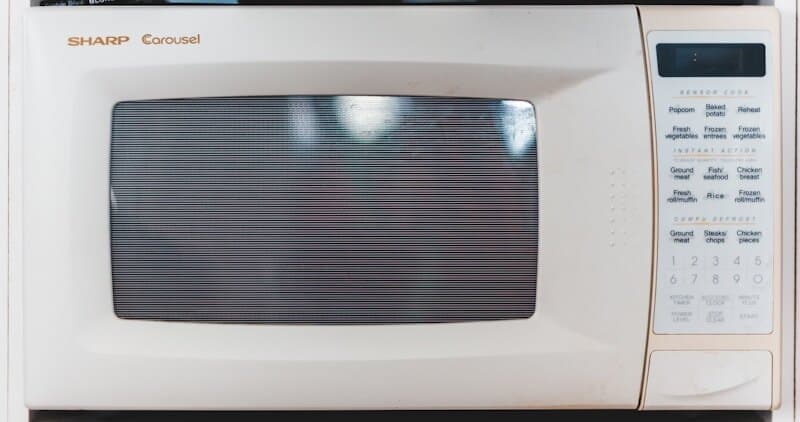
How to Replace the High-Voltage Capacitor (0.95uF 2100VAC) in a Frigidaire Microwave
The high-voltage capacitor in a Frigidaire microwave is part of the voltage doubler circuit that produces the 4000V+ DC needed to drive the magnetron. When this capacitor fails (either shorted or open), the microwave will not produce heat even though all other functions appear normal. A shorted capacitor may also trip the household circuit breaker or blow the internal fuse. The capacitor is rated at approximately 0.95 microfarads (uF) at 2100 volts AC (2100WVAC) on most Frigidaire standard and Gallery models, though some units use 1.0 or 1.05 uF ratings.
This component stores lethal electrical energy and requires strict safety procedures. However, the physical replacement is straightforward once the capacitor is properly discharged and the cabinet is removed.
Before You Start
- Tools needed: Phillips #2 screwdriver, Torx T15 (Gallery models), insulated-handle screwdriver with at least 5000V insulation rating, multimeter capable of reading resistance and capacitance, 1/4" nut driver, needle-nose pliers
- Parts needed: High-voltage capacitor 0.95uF 2100VAC (~$20-$40, match exact voltage and capacitance rating from your model's specifications)
- Time required: 30-45 minutes
- Difficulty: Intermediate to Advanced
- Safety warning: LETHAL VOLTAGE. The capacitor you are replacing stores energy at 4000V+ even when the microwave is unplugged. This charge can kill. Discharge the capacitor IMMEDIATELY after removing the cabinet using an insulated screwdriver bridging both terminals. Verify 0V with your multimeter before touching ANY component. Wear rubber-soled shoes and do not work on a wet surface.
Do You Have the Right Tools?
High-voltage capacitor discharge tool ($90), magnetron tester ($200), microwave leakage detector ($150). Our technician arrives with $15K+ in professional tools — your diagnostic is free.
Licensed & Insured · 90-Day Warranty · Same-Day Service
Step-by-Step Instructions
Step 1: Remove the Microwave Cabinet
Unplug the microwave from the wall outlet. Remove the outer cabinet by removing all perimeter screws (Phillips or Torx T15 depending on model). On countertop units, the top/side shell typically lifts off as one piece after removing screws from the rear and sides. On over-the-range Gallery models, the outer wrap slides forward after removing rear-mounted screws. Set the cabinet completely aside.
Step 2: Discharge the Capacitor
This is the most critical safety step. Locate the capacitor: a large cylindrical or oval metal can, typically silver or black, mounted near the high-voltage transformer at the bottom of the chassis. It has two terminals (blade-type connectors) on top. Using your insulated-handle screwdriver, carefully bridge BOTH terminals simultaneously by touching the metal shaft across them. Hold for 3-5 seconds. You may hear a loud pop and see a spark — this is the stored energy discharging safely through the screwdriver. After discharge, verify with your multimeter set to DC voltage: measure across both terminals. Reading must be 0V. Also measure each terminal to chassis ground — both should read 0V.
Step 3: Document Connection Points
Before disconnecting anything, photograph the capacitor and its connections. The capacitor typically has three connections: one terminal connects to the high-voltage diode, the other terminal connects to the magnetron and transformer secondary, and the chassis-mounted body provides the ground return. On some Frigidaire models, there is also a bleeder resistor across the terminals (a small resistor visible between the blades that slowly discharges the capacitor as a safety backup).
Step 4: Disconnect and Remove the Old Capacitor
Using needle-nose pliers, pull the spade connectors off both capacitor terminals. Pull straight up — do not twist as the terminal blades can bend or break. Remove the mounting screw or bracket holding the capacitor to the chassis (typically one screw or a metal band clamp). Lift the old capacitor out. Note the rating printed on the capacitor body: voltage (2100WVAC), capacitance (0.95 uF), and any tolerance specification.
Step 5: Verify the New Capacitor Rating
Compare the new capacitor to the old one. Critical specifications that MUST match:
| Parameter | Requirement |
|---|---|
| Capacitance | Must match within ±5% (0.95 uF = 0.90-1.00 uF acceptable) |
| Voltage rating | Must match or exceed (2100WVAC minimum; 2200WVAC acceptable) |
| Physical size | Must fit the mounting bracket/space |
| Terminal type | Must match (blade/spade type and spacing) |
Never install a capacitor with a LOWER voltage rating than the original. A higher voltage rating is acceptable and provides additional safety margin. Never substitute a dramatically different capacitance value as it changes the voltage doubler output and can damage the magnetron.
Step 6: Install the New Capacitor
Mount the new capacitor in the original position using the existing bracket or mounting screw. Connect the spade connectors to the same terminals as the original configuration (this is why you photographed in Step 3). Push each connector firmly onto the blade terminal until fully seated. Verify neither connector can pull off with gentle tugging. If the original had a bleeder resistor and the new one does not, transfer the resistor or purchase one (typically 10 megohm, 2W).
Step 7: Reassemble and Test
Reinstall the outer cabinet with all original screws (RF shielding requirement). Plug in the microwave. Test with a microwave-safe cup containing 8oz of room-temperature water on HIGH for 60 seconds. The water should be noticeably hot (150-170F). Listen during operation: normal operation produces a steady hum from the transformer. Loud buzzing or crackling indicates a problem with the capacitor connections, diode, or magnetron that needs investigation before continued use.
Understanding Capacitor Failure Modes
| Failure Type | Symptom | Multimeter Reading |
|---|---|---|
| Open circuit | No heat, normal hum | No capacitance (or very low) when tested with capacitance meter |
| Short circuit | Blown fuse or tripped breaker, no operation | Zero or very low resistance between terminals |
| Leaky (partial failure) | Reduced heating power, intermittent operation | Low resistance in both directions (should be very high) |
| Mechanical damage | Bulging case, oil leak, burned smell | Visual inspection reveals physical damage |
A capacitor that has bulged, leaked oil, or shows burn marks on its casing should be treated as potentially still charged even after standard discharge procedure. Use extra caution with physically damaged capacitors.
Safety First — Know the Risks
Microwave capacitors store lethal voltage (4,000V+) even when unplugged. This is the single most dangerous DIY appliance repair. Our techs are licensed and insured — let them handle the risk.
Licensed & Insured · 90-Day Warranty · Same-Day Service
Troubleshooting After Capacitor Replacement
- Still no heat: Test the high-voltage diode (may have failed simultaneously). A shorted capacitor often damages the diode. Test the magnetron filament for continuity
- Microwave trips breaker on first use with new capacitor: Verify the capacitor is not installed backwards (blade connections swapped). Check that the diode orientation is correct. A reversed diode with a new capacitor creates a direct short on the transformer
- Buzzing louder than before: Ensure the capacitor mounting bracket is tight. A loose capacitor vibrates at 60Hz (line frequency). Also verify the spade connectors are fully seated
- Intermittent heating: A spade connector that is slightly loose creates an intermittent connection. Remove and re-seat all connectors, crimping the spade if it has lost spring tension
When to Call a Professional
Contact a professional if:
- You are not confident in performing the capacitor discharge procedure safely. This is the one appliance repair where the danger-to-difficulty ratio is highest
- The capacitor replacement does not restore heating and you need to test the transformer secondary winding (requires specialized high-voltage knowledge)
- Physical damage to the capacitor caused oil leakage onto other components (potential contamination requiring cleanup with proper solvents)
- The microwave repeatedly blows fuses or trips breakers after capacitor replacement (indicates a secondary fault elsewhere in the high-voltage circuit)
- The chassis shows signs of electrical arcing (burn marks, melted plastic) suggesting sustained high-voltage contact
Same-Day Appliance Repair
Fixed or It's Free
$89 → $0 Service Call & Diagnosis — offer ends May 25
The Real Cost of DIY
Average DIY attempt: $150-400 in tools you may use once, plus the risk of further damage. Our diagnostic visit costs $0 — we find the problem and give you an honest quote.
Licensed & Insured · 90-Day Warranty · Same-Day Service
Cost Comparison: DIY vs Professional
| DIY | Professional | |
|---|---|---|
| Parts | $20-$40 | $20-$40 |
| Labor | $0 | $120-$250 |
| Time | 30-45min | 30min |
| Risk | HIGH (lethal voltage) | Warranty included |
Need Professional Help?
Don't Void Your Warranty
Opening your appliance yourself may void the manufacturer warranty. Our repair comes with a 90-day guarantee, and we document everything for warranty compliance.
Licensed & Insured · 90-Day Warranty · Same-Day Service
FAQ
Q: What does 2100WVAC mean on a microwave capacitor? A: WVAC stands for Working Volts AC — the maximum continuous AC voltage the capacitor is designed to handle safely. A 2100WVAC capacitor can handle the approximately 2000V AC from the microwave transformer secondary. The voltage doubler circuit produces higher DC voltage, but the capacitor only sees the AC component.
Q: Can I use a 2200V capacitor to replace a 2100V one? A: Yes. A higher voltage rating provides additional safety margin and is perfectly acceptable. Never use a lower rating. The capacitance (0.95 uF) must match closely (within 5%) as it determines the output voltage to the magnetron.
Q: How do I know if my Frigidaire microwave capacitor is bad? A: Symptoms include no heating (open capacitor), blown fuse/tripped breaker (shorted capacitor), or reduced heating power (leaky capacitor). Physical signs include a bulging case, oil leakage, or burn marks.
Q: Why does the capacitor hold a charge after unplugging? A: The capacitor stores electrical energy from the last operating cycle. Good designs include a bleeder resistor that slowly discharges the capacitor over several minutes. However, this resistor can fail, leaving the capacitor charged indefinitely. Always manually discharge regardless.
Need a certified technician? Book same-day repair →




