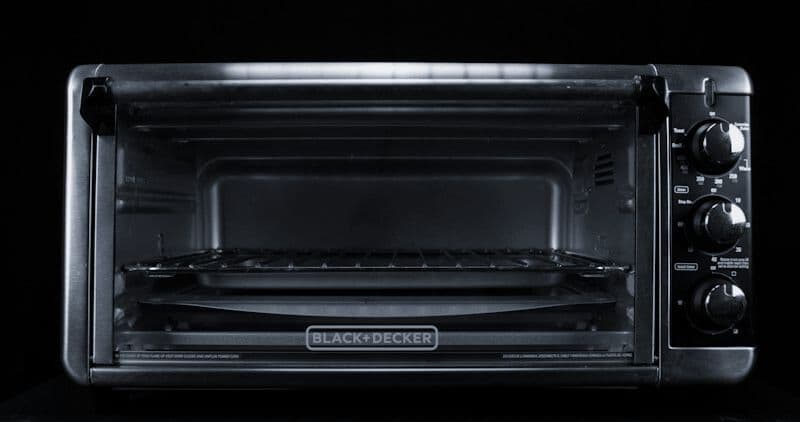
How to Repair or Replace the Fan Motor in a KitchenAid Microwave
KitchenAid microwaves use multiple fan motors for different functions — and when any of them fails, the symptoms range from excessive noise to complete shutdown. Understanding which fan has failed is the first step to an efficient repair. KitchenAid built-in convection microwaves may have up to three separate fans: a magnetron cooling fan, a ventilation/exhaust fan (on OTR models), and a convection circulation fan.
These are the same fan motor platforms used across Whirlpool Corporation microwaves, so parts cross-reference between KitchenAid and Whirlpool models. Fan motors are typically $20-$60 depending on type, and replacement is intermediate-difficulty since it requires accessing the interior compartment where the high-voltage capacitor resides.
Before You Start
- Tools needed: Phillips #2 screwdriver, Torx T20, 1/4" nut driver, insulated screwdriver for capacitor discharge, multimeter
- Parts needed: Fan motor matching your failed unit ($20-$60). Identify which fan before ordering — they're not interchangeable.
- Time required: 35-55 minutes
- Difficulty: Intermediate to Advanced
- Safety warning: Unplug or disconnect power at breaker. DISCHARGE THE CAPACITOR before touching any internal component. The fan motors are located near the high-voltage section. Follow the complete capacitor discharge procedure even if you're "only" working on a fan.
Do You Have the Right Tools?
High-voltage capacitor discharge tool ($90), magnetron tester ($200), microwave leakage detector ($150). Our technician arrives with $15K+ in professional tools — your diagnostic is free.
Licensed & Insured · 90-Day Warranty · Same-Day Service
Step-by-Step Instructions
Step 1: Identify Which Fan Has Failed
Magnetron cooling fan (all models): Runs whenever the microwave is cooking. Blows air across the magnetron to prevent overheating. If this fan fails, the microwave may work briefly then shut off on thermal protection, or the magnetron may overheat and fail permanently.
- Symptom: microwave cuts out after 2-5 minutes of operation, or you hear no airflow sound during cooking
Exhaust/ventilation fan (over-the-range models): The multi-speed fan that vents cooking odors from the stovetop below. Controlled by the fan speed buttons on the control panel. Has nothing to do with microwave cooking function.
- Symptom: fan buttons don't produce airflow, or fan is extremely loud/grinding at all speeds
Convection fan (KitchenAid convection microwave models): A separate fan that circulates heated air during convection mode. Only runs in convection cooking mode.
- Symptom: convection mode doesn't brown food, or you hear no fan during convection cycle while the heating element works
Identify your failed fan by noting exactly when the noise occurs or when the failure manifests.
Step 2: Access the Interior
Disconnect power. For OTR models, have a helper support the unit while you remove mounting screws from above (inside cabinet). For built-in models, disconnect wiring harness and slide unit from cabinet.
Remove the outer wrapper (10-14 screws around the back and sides). The interior is now exposed.
IMMEDIATELY DISCHARGE THE CAPACITOR using an insulated screwdriver between both capacitor terminals, then between each terminal and chassis ground. Verify 0V with multimeter.
Step 3: Locate and Remove the Failed Fan
Magnetron cooling fan: Located adjacent to the magnetron (large finned component). The fan blows across the magnetron fins. It's typically a squirrel-cage blower mounted with 2-3 screws, with a 2-wire connector to the power supply.
Exhaust fan (OTR): Located at the top of the unit behind the exhaust grille. A larger motor with a tangential blower wheel. Mounted with 3-4 screws to a bracket. Multi-wire connector (multiple speeds use different windings).
Convection fan: Located on the back wall inside the microwave cavity (accessible after removing an interior rear panel). Similar to an oven convection fan but smaller.
Disconnect the motor's wire connector. Remove mounting screws. Slide or lift the motor assembly out. The blower wheel/blade may need to be transferred to the new motor (pull off the shaft — friction fit with set screw on some models).
Step 4: Test the Motor (Optional Confirmation)
With the motor disconnected, use a multimeter on resistance mode across the motor leads:
- Normal reading: 10-60 ohms (varies by motor type)
- Open circuit (OL): motor winding broken — confirmed failure
- Very low resistance (under 3 ohms): motor shorted — confirmed failure
Also spin the motor shaft by hand. It should rotate freely without grinding or catching. Bearings that feel rough or produce gritty resistance are worn and the motor should be replaced even if the electrical test passes — the noise will only worsen.
Step 5: Install the New Motor
Transfer the blower wheel from the old motor to the new one (if the new motor doesn't include a wheel). Ensure the wheel is oriented correctly (air flows in one specific direction) and secured on the shaft.
Mount the new motor in the same position and orientation. Secure with original screws. Connect the wire harness.
For the convection fan: replace the interior rear panel in the microwave cavity before reassembling the exterior.
Step 6: Reassemble and Test
Replace the outer wrapper. Remount the microwave (OTR/built-in models). Restore power.
Test each fan:
- Cooling fan: Run microwave for 30 seconds with a cup of water. You should hear steady airflow from the vents.
- Exhaust fan (OTR): Press each speed button — should produce increasing airflow
- Convection fan: Set to convection mode at any temperature — fan should start within 30 seconds of the heating element activating
Listen for noise quality: the new fan should produce a smooth, consistent hum without vibration, grinding, or clicking.
Troubleshooting After Replacement
- New fan vibrates loudly: blower wheel is unbalanced or not fully seated on the shaft. Remove outer panel and check wheel position.
- Fan runs at wrong speed (exhaust fan): wrong motor type or wiring configuration. Verify part number matches your model exactly — multi-speed exhaust motors are model-specific.
- Microwave still shuts off during cooking: if the cooling fan is new and running, the magnetron itself may be failing (overheating due to internal degradation, not due to cooling inadequacy).
- Burning smell from new motor: manufacturing oils burning off during first run. Normal for 2-3 uses. If persistent, verify the motor isn't physically contacting a heat source.
Safety First — Know the Risks
Microwave capacitors store lethal voltage (4,000V+) even when unplugged. This is the single most dangerous DIY appliance repair. Our techs are licensed and insured — let them handle the risk.
Licensed & Insured · 90-Day Warranty · Same-Day Service
When to Call a Professional
- You're not comfortable performing the capacitor discharge — non-negotiable safety requirement
- The magnetron itself shows signs of failure (arcing marks, swollen appearance) — magnetron replacement is a professional-level repair
- OTR model: the unit is too heavy to safely dismount without proper support equipment
- Fan runs but microwave still overheats and cuts off — may indicate magnetron degradation requiring replacement
Same-Day Appliance Repair
Fixed or It's Free
$89 → $0 Service Call & Diagnosis — offer ends May 25
Cost Comparison: DIY vs Professional
| DIY | Professional | |
|---|---|---|
| Parts | $20-$60 (fan motor) | Same |
| Labor | $0 | $120-$250 |
| Time | 0.6-0.9h | 0.3-0.5h |
| Risk | Medium-High (capacitor hazard during access) | Warranty included |
The Real Cost of DIY
Average DIY attempt: $150-400 in tools you may use once, plus the risk of further damage. Our diagnostic visit costs $0 — we find the problem and give you an honest quote.
Licensed & Insured · 90-Day Warranty · Same-Day Service
Need Professional Help?
FAQ
Q: My KitchenAid microwave fan runs constantly even when not cooking. Is that normal? A: On some models, yes. The cooling fan runs for several minutes after cooking to dissipate residual heat from the magnetron. On OTR models, the exhaust fan may auto-activate when the cooktop below reaches a certain temperature (thermal sensor triggered). This is normal operation.
Q: Can I run my KitchenAid microwave with a broken cooling fan? A: Briefly (under 2 minutes), but don't make it a habit. Without cooling, the magnetron overheats within minutes. Most KitchenAid models have a thermal cutoff that shuts down the magnetron before damage occurs, but repeated thermal cycling shortens magnetron life. Replace the fan promptly.
Q: Are KitchenAid microwave fans the same as Whirlpool? A: For internal cooling fans, yes — if the models share the same base platform. Exhaust fans on OTR models may differ in speed configurations. Match the exact part number for best results.
Q: Why does my KitchenAid convection microwave fan keep running after I stop the convection cycle? A: The fan continues to cool the cavity and heating element after convection cooking ends. This is an automatic safety feature — it typically runs 3-5 minutes post-cycle. Not a malfunction.
Need a certified technician? Book same-day repair →




