How to Unclog a Samsung Washing Machine: Drain System Service Guide
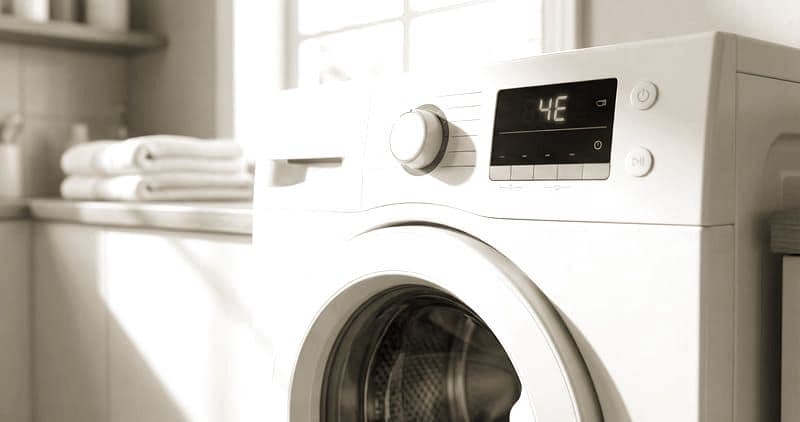
A clogged Samsung front-load washing machine is almost always indicated by the 5E error code (displayed as SE on older LED panels). This error means the control board detected that water was not evacuated from the drum within the expected drain timeout period. Samsung's drain system consists of three components that can develop blockages: the debris filter at the pump inlet, the drain pump impeller chamber (DC31-00054A), and the drain hose running from the pump to your home's standpipe or utility sink. This guide addresses all three with Samsung-specific procedures.
Samsung front-loaders are designed with a two-stage drain system — the debris filter catches large items before they reach the pump impeller, and the pump pushes water through the drain hose. When the filter becomes overloaded or bypassed by small debris, the pump impeller can jam, leading to motor burnout if not addressed promptly.
Before You Start
- Tools needed: Phillips #2 screwdriver, shallow pan, towels, flashlight, pliers, pipe cleaner or flexible brush
- Parts needed: None unless pump is damaged (DC31-00054A if pump replacement needed, approximately $35-60)
- Time required: 20-40 minutes
- Difficulty: Beginner
- Safety warning: Unplug the washing machine before beginning. Water will drain when you open the filter — protect your floor.
Do You Have the Right Tools?
Multimeter ($85), vacuum pump ($250), diagnostic software, and specialized hand tools. Our technician arrives with $15K+ in professional tools — your diagnostic is free.
Licensed & Insured · 90-Day Warranty · Same-Day Service
Step-by-Step Instructions
Step 1: Prepare for Water Drainage
Unplug the Samsung washer from the electrical outlet. The drum likely contains standing water since the drain failed. Place a large shallow pan (a cookie sheet works well) directly under the drain filter access door on the lower-left front of the machine. Lay towels around the pan to catch overflow — Samsung front-loaders can retain 2-4 cups of water in the sump and hose system.
Open the small access door on the lower-left front panel. On most Samsung models, this door has a press-release latch or a small Phillips screw holding it closed.
Step 2: Drain Standing Water Through the Emergency Drain Tube
Some Samsung models include a small black emergency drain tube next to the filter cap. If present, pull this tube out, remove its cap, and let water drain slowly into your pan. This method is slower but more controlled than opening the main filter. If your model does not have this tube, proceed to opening the main filter slowly.
Twist the main filter cap counterclockwise very slowly — approximately one quarter turn — and hold it there. Water will begin flowing around the partially opened cap in a controlled stream. When your pan fills, twist the cap back clockwise to stop flow, empty the pan, and repeat until no more water drains.
Step 3: Remove and Inspect the Drain Filter
Once water flow has stopped, unscrew the filter cap completely by turning counterclockwise until it pulls free. Extract the filter cap and examine what is lodged in it and in the filter housing behind it.
Common items found in Samsung washer drain filters: coins (pennies and dimes are the most common), hair ties, bobby pins, paper clips, fabric lint balls, small socks, bra underwire, and pet hair clumps. Remove all debris from the filter cap mesh and from inside the housing. Rinse the filter cap under running water, scrubbing the mesh with a toothbrush to clear embedded lint.
Step 4: Inspect and Clear the Pump Impeller
Shine a flashlight into the filter housing cavity. You will see the drain pump impeller — a small multi-blade wheel — at the back of the cavity. Spin it with your finger. It should rotate freely in both directions with minimal resistance.
If the impeller is jammed, look for debris wrapped around the impeller shaft or lodged between the blades. Common culprits are hair, thread, rubber bands, and thin fabric strips that wind around the shaft. Use needle-nose pliers or tweezers to extract wrapped debris. Continue until the impeller spins freely.
If the impeller blades are broken or if the motor does not spin even when the impeller is clear of debris, the drain pump (DC31-00054A) has failed and requires replacement.
Step 5: Check the Drain Hose for Blockage
The drain hose runs from the pump outlet to your home's standpipe or utility sink. Disconnect the hose from the standpipe end. Hold the end over a bucket and blow gently — you should feel minimal resistance and air should pass freely.
If the hose is blocked, use a flexible drain cleaning brush or run water through it from a garden hose to clear the obstruction. Common blockages include lint accumulation at bends, hardened detergent residue at the hose end, and small items that passed through the pump.
Also check for kinks in the drain hose — a kinked hose restricts flow and causes slow-drain symptoms that eventually trigger 5E. Samsung recommends the drain hose maintain its full diameter without pinching throughout its length.
Step 6: Verify the Standpipe Connection
The drain hose should be inserted into the standpipe with an air gap — it should not be sealed or taped into the pipe. The air gap prevents siphoning (which would drain water from the drum during fill cycles). If you notice the hose has been pushed too far into the pipe or sealed with tape, correct this.
The drain hose end should sit 6-8 inches inside the standpipe, with open air space around it at the top. The standpipe itself should be at least 2 inches in diameter and rise at least 30 inches from the floor.
Step 7: Reassemble and Test
Reinstall the drain filter cap by twisting clockwise until snug. Do not overtighten — the cap has a rubber O-ring that provides the seal. Reconnect the drain hose to the standpipe. Close the access door.
Plug the machine back in. Run an empty Rinse + Spin cycle to test the drain system. Watch the drain filter area for leaks and listen for normal pump operation (a steady humming sound that lasts 30-60 seconds during drain). Verify no 5E error appears and the drum is empty at cycle completion.
Troubleshooting Persistent Drain Issues
If the 5E error returns after clearing the filter and hose:
- The drain pump motor may be failing even though the impeller spins freely — weak pump motors can spin without load but stall when pushing water through the hose elevation. Test by running a drain cycle and feeling the pump housing for heat. Excessive heat indicates a motor struggling under load
- Check the drain hose height — if the hose rises more than 36 inches above the pump, the pump may lack sufficient head pressure to push water that high. Samsung specifies maximum drain height of 36 inches for most models
- Verify the control board is actually commanding the pump to run — put your hand on the pump housing during drain cycle. If you feel no vibration at all, the issue may be a broken wire or failed relay on the control board rather than a pump or blockage issue
- If you hear the pump running but water drains very slowly, the check valve inside the drain hose connection may be stuck partially closed. Remove the hose from the pump outlet port and inspect the one-way valve flap
Safety First — Know the Risks
Appliances involve high voltage (120-240V), pressurized water, gas lines, and chemical refrigerants. Over 400 DIY repair injuries are reported yearly. Our techs are licensed and insured — let them handle the risk.
Licensed & Insured · 90-Day Warranty · Same-Day Service
When to Call a Professional
Schedule professional service if:
- The drain pump impeller will not turn even after removing visible debris — internal motor bearing failure requires pump replacement with proper electrical disconnection
- You hear grinding or metallic scraping sounds from the pump during drain attempts — this indicates impeller blade damage contacting the pump housing
- Multiple 5E occurrences within a week despite clean filter and clear hose — the pump motor is intermittently failing and will completely fail soon
- You find water leaking from the pump housing body itself rather than from connections — the housing is cracked and the entire pump assembly needs replacement
- The drain system appears clear but the machine still will not drain — control board diagnostics are needed to verify the board is commanding the pump relay
Same-Day Appliance Repair
Fixed or It's Free
$89 → $0 Service Call & Diagnosis — offer ends May 25
Cost Comparison: DIY vs Professional
| DIY | Professional | |
|---|---|---|
| Parts | $0 (filter cleaning) / $35-60 (pump) | $0 / $35-60 |
| Labor | $0 | $120-200 |
| Time | 20-40 min | 30-45 min |
| Risk | Low | Warranty included |
The Real Cost of DIY
Average DIY attempt: $150-400 in tools you may use once, plus the risk of further damage. Our diagnostic visit costs $0 — we find the problem and give you an honest quote.
Licensed & Insured · 90-Day Warranty · Same-Day Service
Need Professional Help?
FAQ
Q: What does 5E or SE error mean on a Samsung washer? A: 5E indicates a drain failure — the machine cannot pump water out within the expected timeframe. The most common cause is debris blocking the drain pump filter, followed by a clogged drain hose or failed pump motor.
Q: Where is the drain filter on a Samsung front-load washer? A: Behind the small access door on the lower-left front of the machine. Open the door, place a pan underneath, and twist the filter cap counterclockwise to access.
Q: Can a clogged drain damage my Samsung washing machine? A: Yes. A blocked drain forces the pump motor to run against resistance, which overheats and burns out the pump (DC31-00054A). Repeated 5E errors should be addressed promptly.
Q: How often should I clean the Samsung washer drain filter? A: Samsung recommends monthly cleaning. If you wash items that shed heavily, clean it bi-weekly. A clean filter prevents pump damage and eliminates most 5E error occurrences.
Need a certified technician? Book same-day repair


