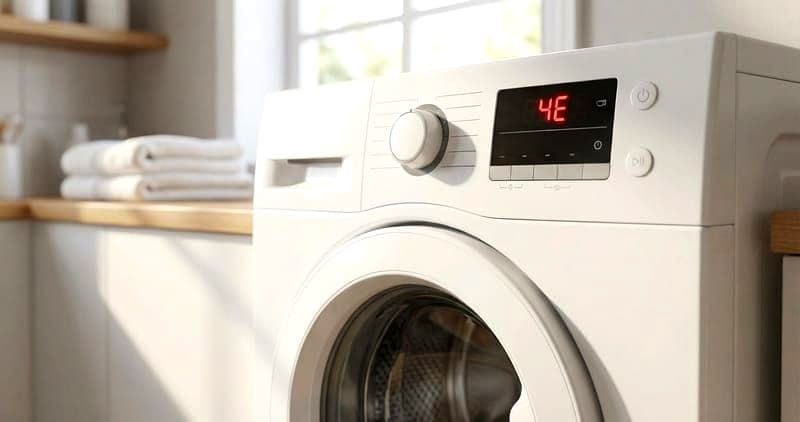
How to Troubleshoot a Samsung Washing Machine Drain Pump That Won't Drain
When a Samsung front-load washer's drain pump (DC31-00054A) fails, the symptoms depend on the failure mode. A jammed impeller produces a humming sound during drain (motor energized but cannot rotate). A burned-out motor produces silence during drain (no hum, no water movement). A partially functional pump may drain slowly — taking 5+ minutes instead of the normal 60-90 seconds. This guide isolates the specific pump failure mode to determine if cleaning or replacement is needed.
Before You Start
- Tools needed: Phillips #2 screwdriver, multimeter, flashlight, towels, Samsung Smart Care app (on smartphone)
- Parts needed: None for diagnosis (parts ordered after identifying the failure)
- Time required: 20-45 minutes for diagnosis
- Difficulty: Beginner to Intermediate
- Safety warning: Disconnect power before testing any internal components. For gas dryers, also shut off gas supply.
Do You Have the Right Tools?
Multimeter ($85), vacuum pump ($250), diagnostic software, and specialized hand tools. Our technician arrives with $15K+ in professional tools — your diagnostic is free.
Licensed & Insured · 90-Day Warranty · Same-Day Service
Step-by-Step Diagnostic Process
Step 1: Observe and Document the Symptom
Before opening any panels, observe the exact behavior: humming without water drainage, complete silence during drain phase, slow drain over 5 minutes, or pump runs but no water exits the drain hose. Note any error codes displayed — Samsung error codes are specific and diagnostic. If an error code is present, use Samsung's Smart Care app (available for iOS and Android). Open the app, select your Samsung model, and point the phone camera at the error code display. The app provides model-specific diagnosis.
Run a test cycle and observe when the failure occurs: immediately at startup, during fill, during wash, during drain, or during spin. The timing narrows the cause significantly.
Step 2: Check the Simple Causes First
For washer drain pump won't drain DC31-00054A issues:
Power supply verification: Ensure the unit is plugged in and the outlet provides correct voltage. For electric dryers, test both legs of the 240V outlet — a burned-out leg provides 120V (controls work, no heat). For washers, verify the outlet with another device.
For dryers: Check that the door closes fully and the door switch clicks. A door that does not fully latch prevents all operation. Clean moisture sensors with rubbing alcohol if experiencing long dry times. Check lint filter and exhaust vent for restriction.
For washers: Verify water supply valves are open and supply hoses are not kinked. Check the drain filter (lower-left access door) for blockage. Verify the machine is level. Check that the door closes and the lock engages (click-buzz-click sequence).
Step 3: Systematic Component Testing
With simple causes eliminated, proceed to electrical testing. Unplug the unit. Access the relevant components:
For rear-access components (dryer element, thermal devices): Remove the rear element cover plate (4-6 Phillips screws). Test thermal fuse for continuity (should read 0 ohms). Test high-limit thermostat for continuity. Test heating element for resistance (10-20 ohms normal). Any component reading open circuit has failed.
For front-access components (door switch, belt, motor): Remove top panel for visibility. Test door switch continuity. Inspect belt condition visually. Test motor windings if accessible.
For washer drain issues: Remove lower kick panel. Access drain pump. Test pump motor by listening for hum during drain cycle (power on, briefly). Check pump impeller rotation by hand through filter opening.
Step 4: Identify the Failed Component
Based on your testing results, identify which specific component has failed. Samsung appliances rarely have multiple simultaneous failures unless a power surge occurred. If you find multiple open-circuit components, suspect a power event that damaged several items, and also inspect the control board for damage.
The most common failures by frequency:
- Drain pump filter blockage (most common Samsung washer issue)
- Shock absorbers worn (DC66-00470A)
- Door boot seal deterioration (DC64-00802A)
- Spider arm corrosion (DC97-16509A)
- Door lock failure (DC64-01538A)
Step 5: Verify Diagnosis Before Ordering Parts
Before ordering the replacement part, perform one final verification:
For electrical components: disconnect the component completely and test it in isolation. A component that tests bad while connected may be affected by a wired-in parallel component giving false readings.
For mechanical components: attempt a temporary fix or adjustment to confirm the identified component is truly the cause. For example, if you suspect drum rollers, manually spin the drum and listen for the noise coming from the roller location specifically.
Check Samsung's Smart Care app diagnosis against your physical findings. If they agree, order the part with confidence. If they disagree, investigate further before purchasing.
Common Samsung-Specific Diagnostic Patterns
-
Samsung dryer: auto-dry ends too early, clothes damp. 90% of the time this is dirty moisture sensors, not a heating or mechanical problem. Clean with rubbing alcohol and 220-grit sandpaper. Test with a load immediately after cleaning.
-
Samsung dryer: intermittent no-heat. Gas dryers: gas valve solenoid coils weaken with age and fail intermittently. They can work 3 out of 4 cycles, making diagnosis difficult. Replace the solenoid coil set proactively.
-
Samsung washer: DC/UE error with balanced loads. Worn shock absorbers (DC66-00470A) cannot dampen spin vibration. Test by pushing down on the tub through the door — if it bounces more than once, shocks are worn.
-
Samsung washer: intermittent 5E error. The drain pump impeller has debris that jams intermittently — it clears itself sometimes but jams again under certain conditions. Clean the pump impeller cavity thoroughly, checking for thread or hair wrapped around the shaft.
Safety First — Know the Risks
Appliances involve high voltage (120-240V), pressurized water, gas lines, and chemical refrigerants. Over 400 DIY repair injuries are reported yearly. Our techs are licensed and insured — let them handle the risk.
Licensed & Insured · 90-Day Warranty · Same-Day Service
When to Call a Professional
- If systematic testing identifies the control board as the failure point — board-level diagnosis requires specialized equipment
- If gas dryer diagnosis points to the gas valve or burner assembly — gas component work should be performed by licensed technicians
- If you cannot reproduce the failure consistently (intermittent issues) — a professional can install monitoring equipment to catch the failure
- If your testing reveals multiple failed components suggesting a power surge or water intrusion event affecting the entire system
- If the machine is under Samsung warranty — professional service preserves warranty coverage
Same-Day Appliance Repair
Fixed or It's Free
$89 → $0 Service Call & Diagnosis — offer ends May 25
Cost Comparison: DIY Diagnosis vs Professional
| DIY | Professional | |
|---|---|---|
| Diagnosis | $0 (your time) | $80-120 (service call) |
| Parts | At cost | At cost (may be marked up) |
| Time | 20-45 min | 15-30 min |
| Accuracy | Good with systematic approach | High with experience + tools |
The Real Cost of DIY
Average DIY attempt: $150-400 in tools you may use once, plus the risk of further damage. Our diagnostic visit costs $0 — we find the problem and give you an honest quote.
Licensed & Insured · 90-Day Warranty · Same-Day Service
Need Professional Help?
FAQ
Q: Can Samsung Smart Care app diagnose my washer problem? A: Yes. The app uses your phone camera to read error codes from the display and provides model-specific diagnosis. For Wi-Fi connected models, it can also run remote diagnostic tests and report results.
Q: What is the most common Samsung washer failure? A: Drain pump filter blockage is the most common issue (not a part failure). For actual part failures: drain pump motor (DC31-00054A), shock absorbers (DC66-00470A), and door boot seal (DC64-00802A) are the top three.
Q: Should I repair my Samsung washer or replace it? A: For Samsung appliances less than 8 years old with a single component failure, repair is almost always economically justified. Common repairs cost $30-150 in parts. Consider replacement only if the machine is 10+ years old AND the repair exceeds 50% of a new unit's price.
Q: How do I enter diagnostic mode on my Samsung washer? A: For most Samsung WF washers: hold Temp + Spin simultaneously for 3-5 seconds. Display shows diagnostic codes. Press Spin to cycle through individual component tests.
Need a certified technician? Book same-day repair


