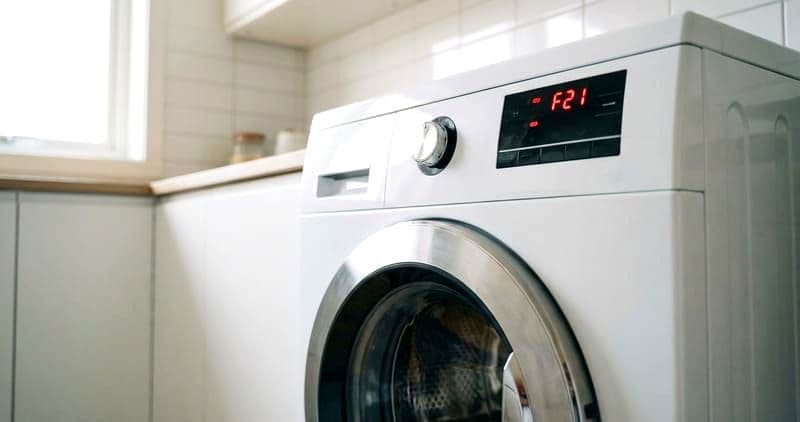
How to Fix a Whirlpool Washing Machine Control Board
The motor control unit (MCU) on Whirlpool washing machines manages motor speed, direction, and spin acceleration. When it fails, symptoms range from specific error codes to complete non-operation. However, the MCU is frequently misdiagnosed. Before replacing a $150+ board, this guide walks you through proper diagnosis to confirm the board is actually at fault.
On Whirlpool WFW front-load models, the MCU (part W10756692) is mounted directly on the motor housing at the rear of the machine. On WTW top-load models, the main control board sits inside the console at the top. These are different boards with different failure modes.
Before You Start
- Tools needed: Phillips #2 screwdriver, Torx T20, multimeter (DC voltage capable), phone camera, magnetic tray
- Parts needed: MCU board W10756692 (WFW) or main control board (model-specific for WTW), approximately $125-$225
- Time required: 45-90 minutes including diagnosis
- Difficulty: Intermediate-Advanced
- Safety warning: Unplug the washing machine. Wait 5 minutes for capacitors to discharge before touching any board connections.
Do You Have the Right Tools?
Multimeter ($85), vacuum pump ($250), diagnostic software, and specialized hand tools. Our technician arrives with $15K+ in professional tools — your diagnostic is free.
Licensed & Insured · 90-Day Warranty · Same-Day Service
Step-by-Step Instructions
Step 1: Identify Which Board Has Failed
Whirlpool WFW front-load washers have two separate boards. The CCU (Central Control Unit) is behind the control panel at the top and manages the user interface, cycle selection, and logic. The MCU (Motor Control Unit) is at the rear on the motor and manages motor operation specifically. Which board to suspect depends on the symptom:
- No display, no response to buttons: CCU (interface board)
- Display works but motor does not run or runs erratically: MCU (motor board)
- Specific F# E# codes during cycle operation: could be either, check the code table on your tech sheet
- F2 E1 or F2 E3 (motor related): MCU
- F1 E1 or F1 E2 (EEPROM/communication): CCU
Step 2: Access and Inspect the Board Visually
For the MCU on WFW models: remove the rear access panel (6-8 Phillips screws). The MCU is the circuit board mounted directly on the motor housing with a 4-pin wire harness. Disconnect the harness and remove the 3 mounting screws. Inspect the board closely for burned components (brown or black discoloration), swollen capacitors (domed tops instead of flat), cracked solder joints (visible under magnification), or melted connectors.
For the main board on WTW models: remove the console end caps, remove the 2 Phillips screws, and flip the console back. The board is inside the console housing. Look for the same visual indicators of failure.
Step 3: Test the MCU with a Multimeter
With the MCU disconnected, you can test certain components. Set your multimeter to DC voltage. Reconnect the MCU and plug in the washer (do not run a cycle). The MCU should show 120V AC at its input connector during fill/wash and 300-400V DC on the motor output bus during spin commands. If input voltage is present but output is zero during a commanded spin, the MCU has failed internally.
If you are not comfortable working with live voltage, skip this step and rely on the visual inspection plus error codes.
Step 4: Replace the MCU
Transfer the board: photograph all connections, note orientation. Install the new MCU with original mounting screws. Reconnect the wire harness — push until you hear the locking click. The connector seats in only one orientation, but partial seating is the most common cause of immediate return failures.
Step 5: Run Post-Installation Calibration
After replacing the MCU on a WFW model, run the calibration cycle. This is not optional — the new MCU must learn the motor's characteristics for your specific drum weight and load:
- Close the door with an empty drum
- Press and hold the delay button for 3 seconds, then press power
- The machine enters diagnostic mode and runs a brief calibration spin sequence (approximately 2-3 minutes)
- The machine beeps when complete and the display shows 88 or 00
If calibration fails (error code appears), check that the motor stator connection and rotor position sensor are properly seated. A loose connection here causes immediate MCU failure on the new board.
Step 6: Verify with a Full Cycle
Run a Normal cycle with a small load. Monitor the entire cycle from fill through final spin. The MCU should smoothly ramp spin speed without jerky starts or sudden stops. Listen for any unusual motor whining which could indicate a rotor position sensor issue that will eventually damage the new MCU.
Root Cause Analysis
MCU boards rarely fail on their own. Common underlying causes:
- Rotor position sensor connector partially seated after prior repair or shipping vibration
- Stator winding intermittent short that overloads the MCU IGBT transistors
- Power surge during thunderstorm (no surge protector on the outlet)
- Water intrusion from a leaking door bellow dripping onto the motor area
If the previous MCU showed burn marks on the motor driver transistors (IGBTs), test the motor stator resistance before installing the new board. Each winding pair should show 3-7 ohms. If any pair shows significantly different resistance or zero ohms, the stator has a shorted winding and must be replaced first, or it will destroy the new MCU.
Safety First — Know the Risks
Appliances involve high voltage (120-240V), pressurized water, gas lines, and chemical refrigerants. Over 400 DIY repair injuries are reported yearly. Our techs are licensed and insured — let them handle the risk.
Licensed & Insured · 90-Day Warranty · Same-Day Service
Troubleshooting Common Issues
- New MCU immediately throws the same error code: the root cause is upstream. Test the motor stator, rotor position sensor, and door lock feedback circuit
- Calibration cycle will not start: verify the door lock engages (you should hear the click). The calibration requires door lock confirmation before running
- Intermittent F2 E1 (stuck rotor): this often indicates a failed bearing making the drum hard to turn rather than an MCU issue. Spin the drum by hand — it should rotate smoothly with minimal resistance
- Board connector melted on one pin: the pin connection was loose, creating heat from resistance. The connector on the wiring harness side must also be replaced — a new board with the old melted harness connector will fail again
When to Call a Professional
Contact a professional technician if:
- You do not have a multimeter or are not comfortable testing live circuits
- The stator winding tests show a short, requiring motor replacement in addition to the MCU
- Both the CCU and MCU appear damaged simultaneously, suggesting a major power event that may have damaged other components
- This is the second MCU failure within 12 months, indicating an unresolved root cause
Same-Day Appliance Repair
Fixed or It's Free
$89 → $0 Service Call & Diagnosis — offer ends May 25
The Real Cost of DIY
Average DIY attempt: $150-400 in tools you may use once, plus the risk of further damage. Our diagnostic visit costs $0 — we find the problem and give you an honest quote.
Licensed & Insured · 90-Day Warranty · Same-Day Service
Cost Comparison: DIY vs Professional
| DIY | Professional | |
|---|---|---|
| Parts | $125-$225 | $125-$225 |
| Labor | $0 | $175-$350 |
| Time | 1-1.5h | 45 min |
| Risk | Medium — root cause misdiagnosis | Diagnostic warranty |
Need Professional Help?
Don't Void Your Warranty
Opening your appliance yourself may void the manufacturer warranty. Our repair comes with a 90-day guarantee, and we document everything for warranty compliance.
Licensed & Insured · 90-Day Warranty · Same-Day Service
FAQ
Q: Is the Whirlpool washer MCU the same as the main control board? A: No. WFW front-load models have two boards: the CCU (user interface and cycle logic, behind the control panel) and the MCU (motor control, on the motor at the rear). WTW top-load models combine these functions into a single main control board inside the console.
Q: How do I know if my Whirlpool washer needs a new control board? A: Confirm with visual inspection (burn marks, swollen capacitors) plus error code correlation. Most F2 E# codes on WFW models point to the MCU. Always verify the motor and position sensor are good before replacing the board, or the new board will fail.
Q: Do I need to program a new Whirlpool MCU? A: No. The MCU (W10756692) does not require programming. However, you must run the calibration cycle after installation so the board learns your specific motor and drum characteristics.
Q: Why does my Whirlpool washer MCU keep failing? A: Repeated MCU failure indicates an upstream issue — usually a motor stator with a partial winding short, a rotor position sensor with intermittent output, or a power supply issue. The root cause must be fixed before installing another MCU.
Need a certified technician? Book same-day repair →


