
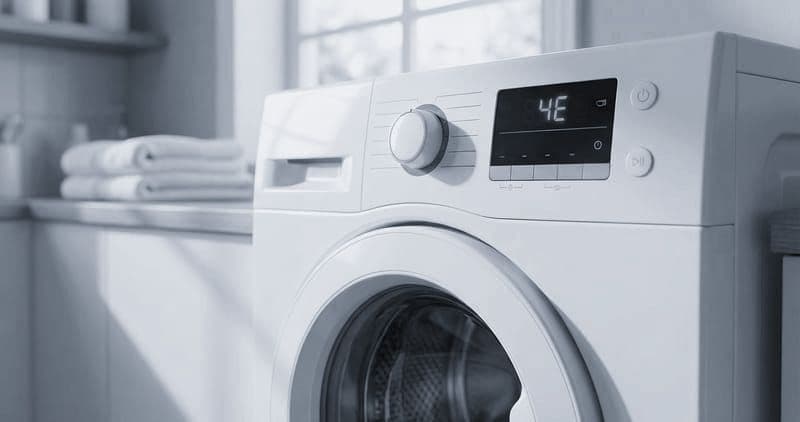
Samsung Washer Smell: Back in Days, or Weeks?
Keep a Samsung front-loader fresh by running its self-clean cycle monthly and then hand-cleaning the three places that cycle cannot reach: the rubber door boot seal, the drain-pump filter, and the detergent drawer. Budget about 45 minutes plus the hour the cycle runs. Difficulty: beginner.
That is the routine, and for most machines it works. The question this page is really for is the one that comes after: you did all of it, and the smell came back. How long the machine stayed fresh is the diagnosis. A month of freshness that fades gradually is a maintenance interval, not a fault. Freshness measured in days is something else entirely — a seal whose coating has given out, a drawer that was never the drum's problem, or mold that has colonised somewhere no cleaning cycle reaches. The table below reads that interval.
Why Samsung washers need more than a button#
Self-Clean+ scours the drum, but front-loaders trap moisture in the folds of the door boot seal (part DC64-00802A) after every wash, and that is where mold and odor start. Excess detergent also feeds corrosion on the aluminum spider arm (DC97-16509A) behind the drum. Cleaning the right spots — not just running a cycle — is what actually keeps a Samsung smelling clean.
Do You Have the Right Tools?
Bearing puller set ($120), drum spider wrench ($85), multimeter ($85), and diagnostic software. Our technician arrives with $3,000+ in professional tools — your diagnostic is free.
Licensed & Insured · 90-Day Warranty · Same-Day Service
The smell came back. How long did it take?#
Time the return. That number tells you more than anything you can see, because every cause below produces the same smell and they recur on completely different schedules.
| How long the machine stayed fresh | What that means | What to change |
|---|---|---|
| Three or four weeks, fading gradually | Nothing is wrong. That is the maintenance interval showing you its length | Put the clean cycle and the boot wipe on a monthly calendar |
| A few days, every time, however thoroughly you clean | The boot seal's anti-microbial coating has worn out — common after a few years | A new seal; scrubbing an exhausted coating buys days, not weeks |
| It never went away at all, even straight after a deep clean | Mold has colonised behind the drum or in the outer tub, where no cycle reaches | This one needs disassembly and is not a cleaning problem |
| The drum smells fine, and the smell is strongest at the drawer | The detergent drawer and its softener siphon port, not the drum | Soak and brush the drawer inserts, and clear the siphon port |
| Black film is back in the boot folds within a week of scrubbing | Detergent is feeding it faster than you can clean it out | Cut the dose to about two tablespoons of HE detergent per load |
| The smell arrives together with a slow drain or a drain code | Standing water in the filter cavity rather than mold on the seal | Clear the drain-pump filter; the smell is a symptom of the drain |
Rows two and five are the pair worth telling apart carefully, because both come back fast. The difference is what you find when you peel the seal open: a fresh black film means detergent is feeding new growth, while a seal that looks reasonably clean and still smells has lost the coating that was keeping it that way.
Where these rows come from: the four cases already listed in this guide's own troubleshooting section — a musty smell surviving a deep clean, a drain code returning after the filter is cleared, mold returning within days on a worn seal coating, and the overdosing that this page names as the leading cause of buildup — re-keyed on how long the freshness lasts, because that interval is free to observe and separates causes that look identical. The drawer case is the page's own siphon-port note. No row states a frequency, and none is measured here.
Tools and supplies#
- Tools: Phillips #2 screwdriver, microfiber cloths, a soft-bristle toothbrush, a spray bottle, towels
- Supplies: white vinegar, baking soda, and a Samsung-approved washer cleaner or cleaning tablet
- Safety: unplug the machine before cleaning internal parts, and never mix bleach with vinegar
Safety First — Know the Risks
High-voltage components and pressurized water lines create flood and shock risk. A single loose fitting can cause thousands in water damage. Our techs are licensed and insured — let them handle the risk.
Licensed & Insured · 90-Day Warranty · Same-Day Service
Step-by-step#
1. Run Self-Clean+#
On most WF models, press Temp and Rinse together until the display reads "Cln," add no detergent and no clothes, and press Start. The cycle heats the water (about 60 degrees Celsius) and uses a hard spin pattern to strip detergent film from the drum and hoses — roughly an hour. If the panel is nagging an Eco Drum Clean reminder, this cycle clears it; hold Delay End for 3 seconds afterward on models that need a manual acknowledgment.
2. Clean the door boot seal (DC64-00802A)#
Peel back the outer fold of the rubber gasket and work all the way around. Expect a dark film of mold, detergent, and lint in the pockets. Spray a 50/50 vinegar-and-water mix into every fold, let it sit five minutes, then scrub with the toothbrush and wipe clean. For stubborn black mold, dab on a baking-soda paste, wait fifteen minutes, scrub, and rinse. Check for tears — a split boot leaks and needs replacing.
3. Clean the drain-pump filter#
Behind the lower-left access door on the front is the debris filter. Set a shallow pan and towels beneath it, twist the cap counterclockwise slowly to bleed the water out in a controlled stream, then remove it fully. Fish out the coins, hair ties, and lint that block the drain pump (DC31-00054A) and trigger 5E or SE codes. Rinse the cap, brush the mesh, spin the impeller to confirm it turns freely, and reseat the cap clockwise until snug.
4. Clean the detergent drawer#
Press the release tab and pull the drawer fully out, separate the inserts, and soak everything in warm water with vinegar for fifteen minutes. Scrub each piece and clear the softener siphon port with a thin brush — a clogged siphon makes the washer skip softener or flag inlet errors. Wipe the water-inlet nozzles in the empty cavity, then dry and refit.
5. Wipe the drum, and mind the spider arm#
Even after Self-Clean+, spray the drum interior with vinegar, sprinkle on baking soda, and let it fizz ten minutes before wiping — pay attention to the small drum holes where residue hides. This is also your window to eyeball the spider arm (DC97-16509A) through the holes; white corrosion powder there is an early warning.
6. Finish the outside and prevent the next buildup#
Wipe the cabinet and, on AddWash models, the secondary door's inner seal where debris collects. Clean the control panel with only a damp cloth — never spray electronics. Then adopt the habits that keep mold out: leave the main door and drawer ajar between washes for airflow, and use only HE detergent, about 2 tablespoons per load. Overdosing detergent is the number-one cause of both buildup and spider-arm corrosion.
Troubleshooting#
- Musty smell survives a deep clean: mold has likely colonized behind the drum or in the outer tub, which needs disassembly to reach.
- 5E returns after clearing the filter: the drain pump itself may be failing — listen for a hum with no water moving.
- Vibration after cleaning: confirm the rear shipping (transit) bolts are out and the machine is level.
- Mold back within days: the seal's anti-microbial coating may be worn (common after a few years) — a new DC64-00802A seal fixes it.
Appliance Repair Technician · 11 years experience
Experienced technician with 11 years specializing in Frigidaire and Electrolux refrigerator and dryer repair with a focus on safety.


